Console Guides
Add-ons
A catalog of small, billable utility functions - QR codes, PDFs, hashing, currency conversion, and more - you can run from the dashboard to try, or call from your own app through the same API.
Find it
Add-ons is in the sidebar under the Operations group.
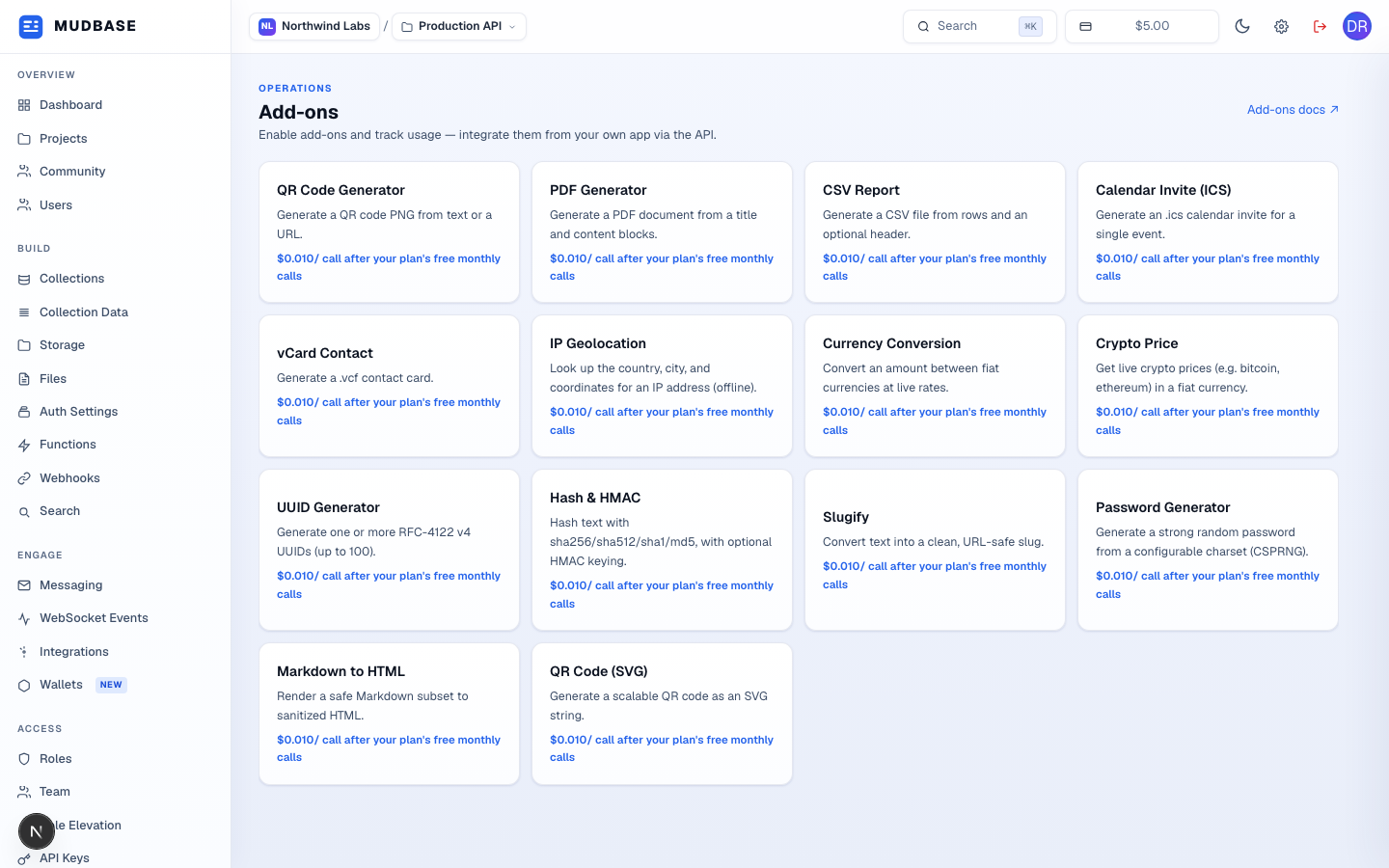
- The same catalog every project on the platform sees - QR codes, PDF/CSV/ICS/vCard generation, IP geolocation, currency conversion, live crypto prices, UUIDs, hashing, password generation, slugify, and Markdown-to-HTML. Click any tile, like QR Code Generator here, to open its input form below. Each plan includes a number of free calls per add-on per month (see your plan's Plan and Subscription page); calls beyond that are billed per-call from your org's credit balance, shown under each tile.
Run an add-on
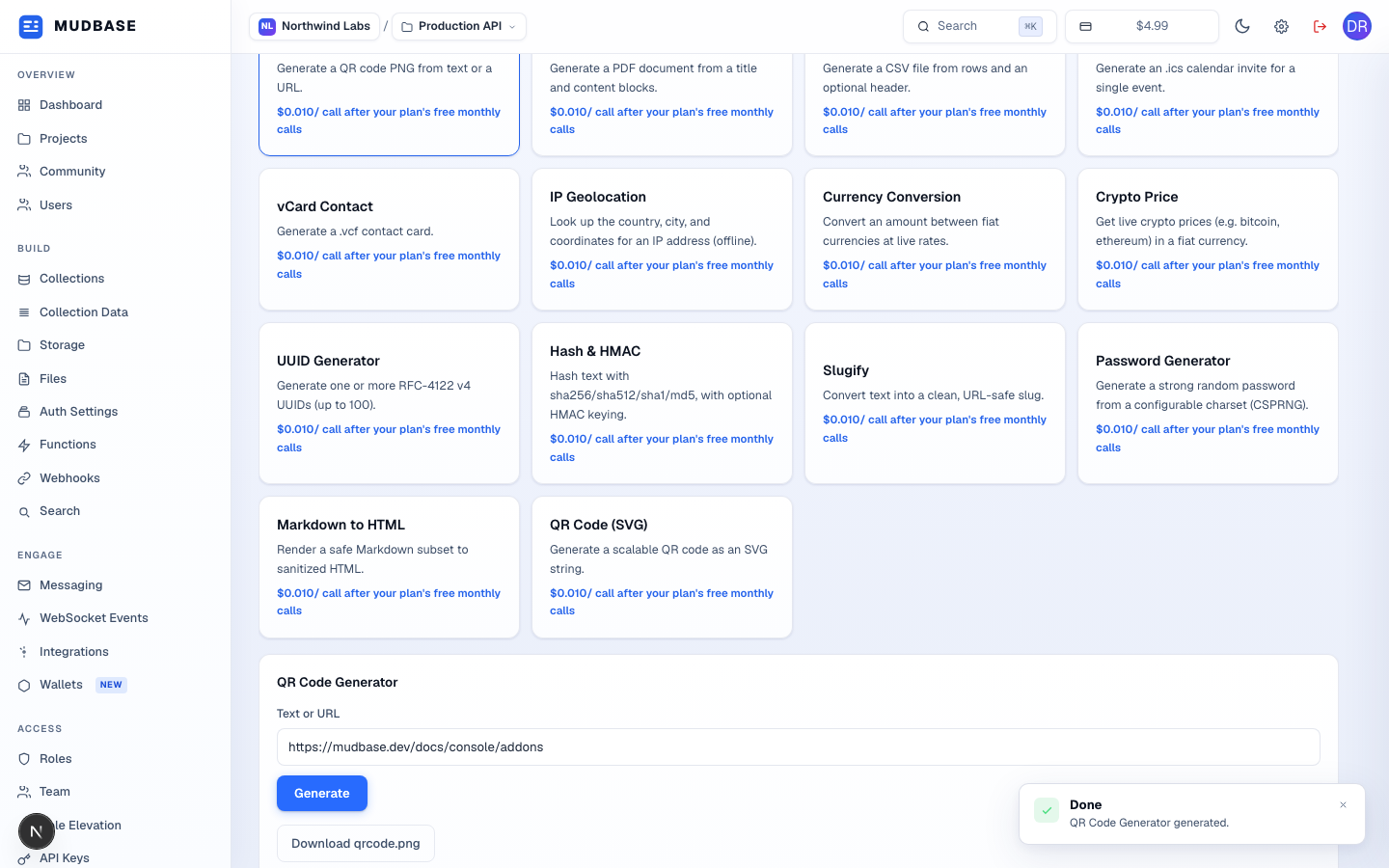
- A few add-ons (like QR Code and PDF) get a purpose-built form; the rest take a raw JSON input editor pre-filled with a working example for that add-on.
- Edit the input, then click Generate - a project must be selected first.
- Runs synchronously when the add-on completes quickly; the dashboard polls for up to 30 seconds if the job stays pending. A call rejected for insufficient credit balance shows a Top up balance shortcut straight to the billing page instead of a generic error.
- Completed jobs that return a file (like this QR PNG) get a direct download link; add-ons that return data instead (currency conversion, geolocation) show the JSON result inline.
Note
Add-on calls are billed in real time against your org's credit balance the moment the free allowance runs out - there is no deferred "bill it next month" path. If the balance can't cover the call, it's rejected before it ever runs; top up on Plan and Subscription.