Console Guides
API Keys
API Keys are how your backend (or any server-side script) authenticates to Mudbase. This page walks through creating one, scoping its permissions, and finding it again later.
Find it
API Keys is in the sidebar under the Access group.
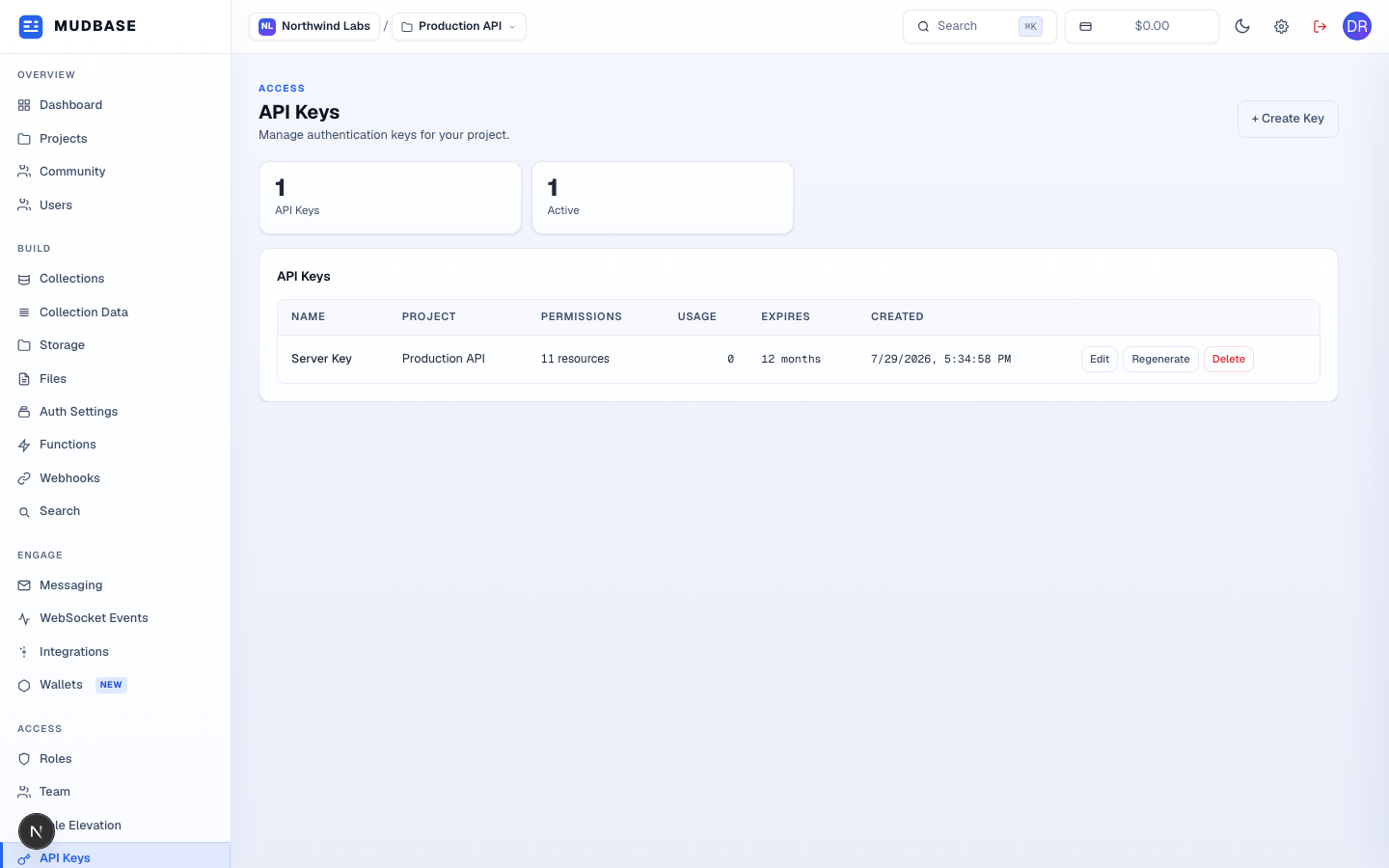
- Click + Create Key in the top-right corner to open the creation dialog.
Set a name and scope permissions
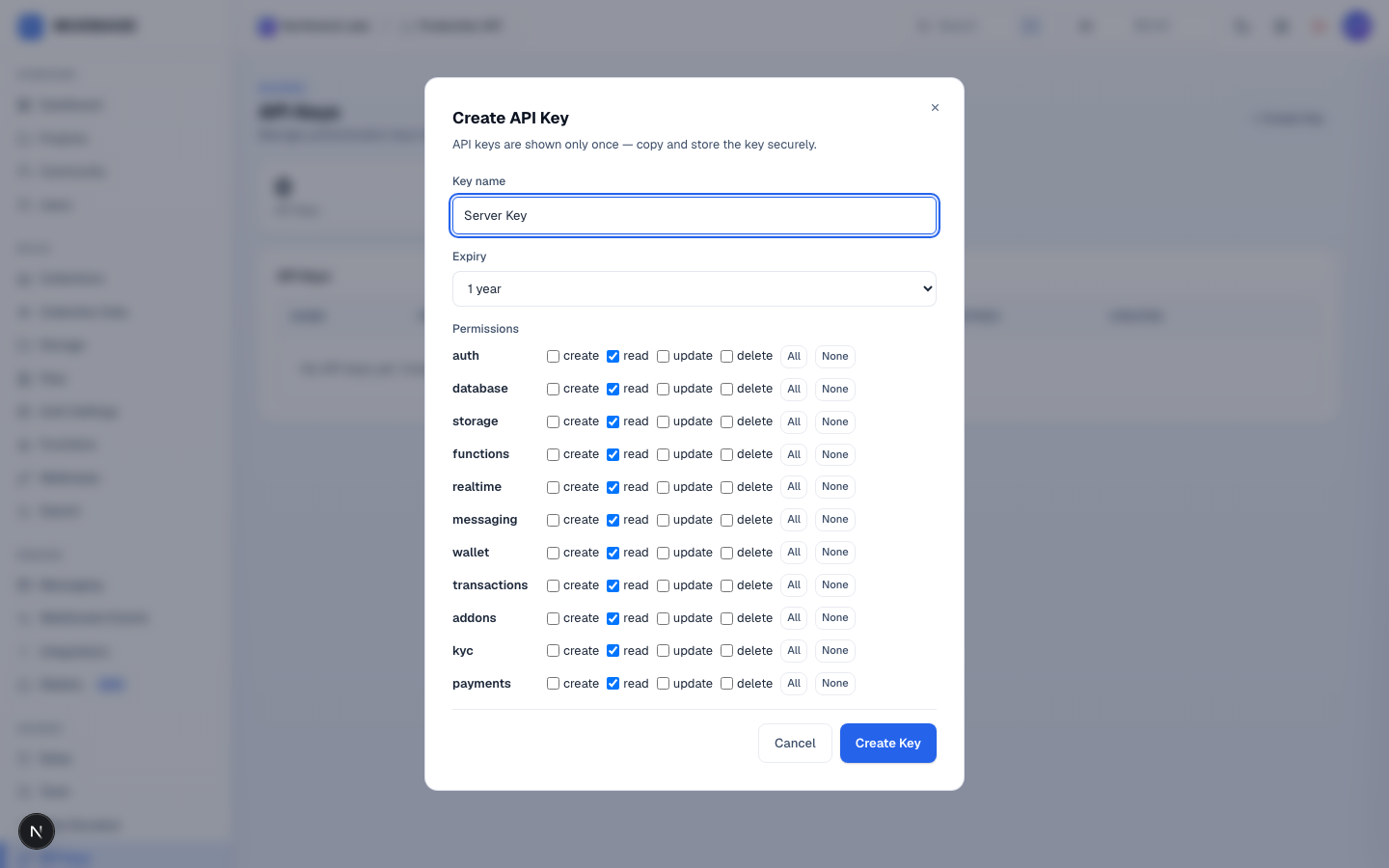
- Give the key a name that describes where it'll be used - "Server Key", "CI pipeline", whatever helps you recognize it in a list later.
- For each resource (
auth,database,storage, and so on), tick only the actions this key actually needs -create,read,update,delete. Use the All / None shortcuts per row instead of clicking every checkbox. - Click Create Key once the name and permissions look right.
Copy the secret - this is the only time you'll see it
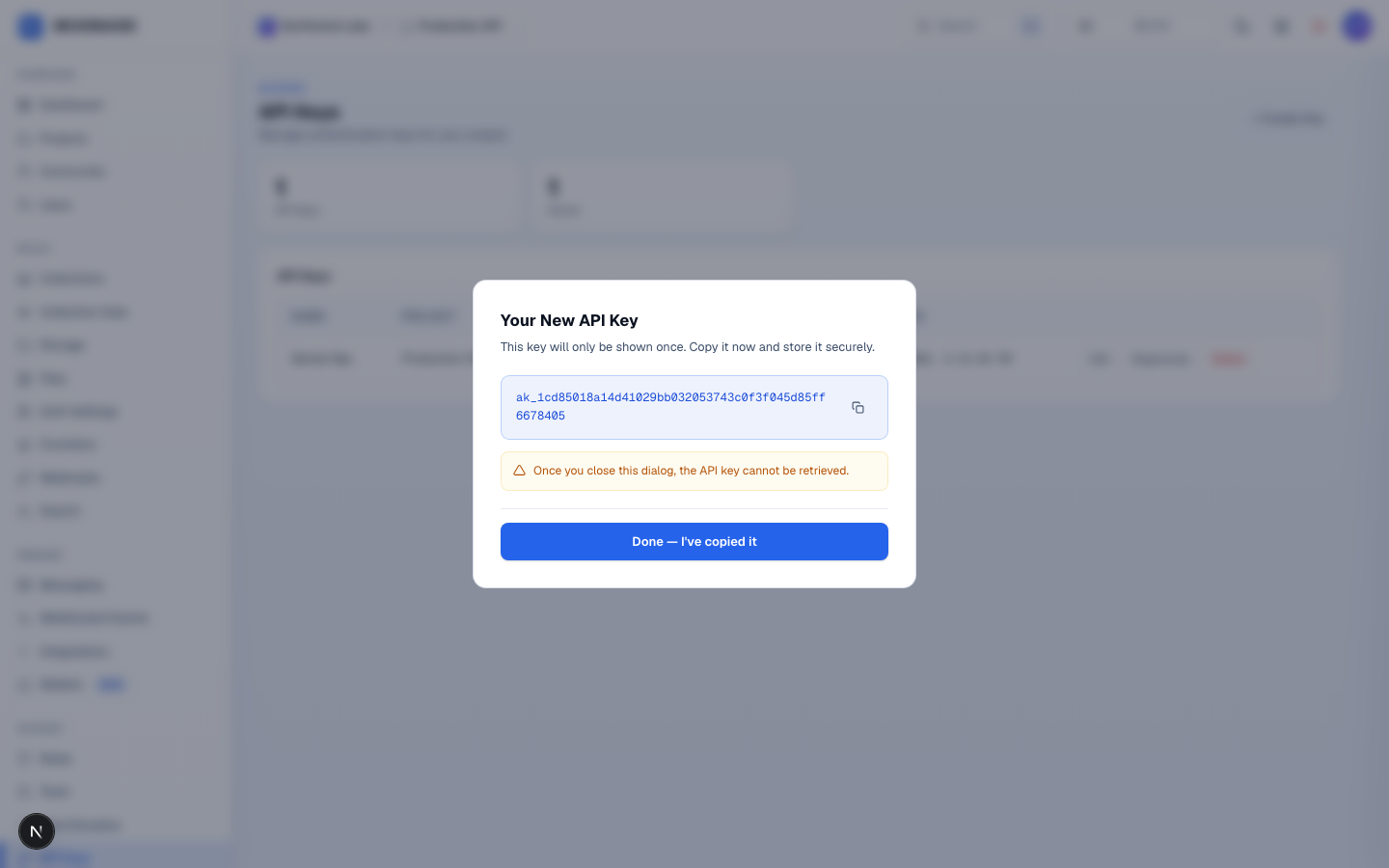
- Click the copy icon next to the key to copy it to your clipboard, then paste it straight into your server's environment variables (never into client-side code).
- Click Done - I've copied it to close the dialog. Mudbase never stores or displays the raw secret again - if you lose it, you'll need to regenerate the key.
Warning
If you close this dialog before copying the key, you cannot get that exact secret back. You'll need to Regenerate the key from the list, which invalidates the old one immediately.
Manage keys later
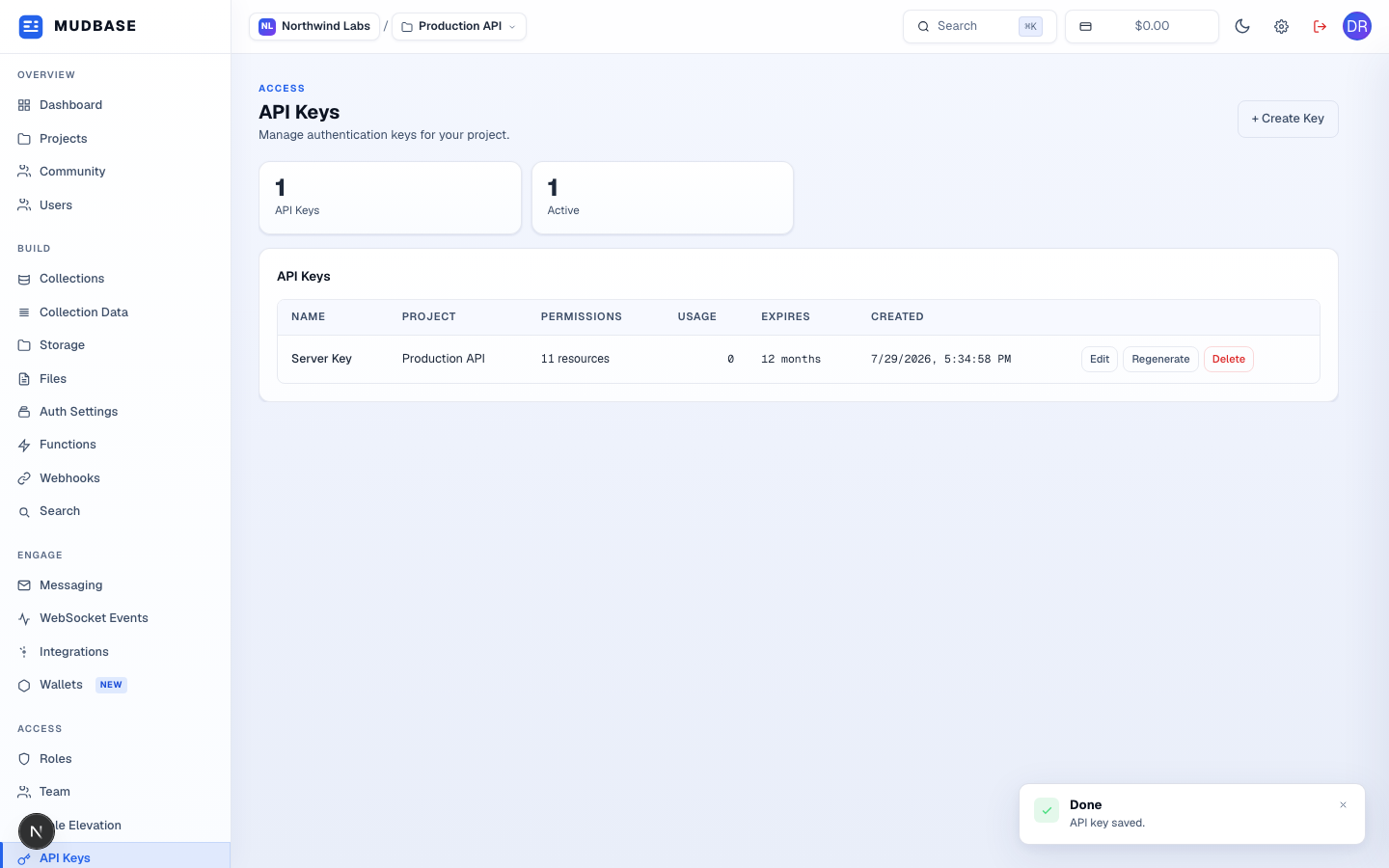
- From the list, Edit changes a key's permissions or expiry without changing the secret itself; Regenerate issues a brand-new secret and immediately invalidates the old one; Delete revokes the key entirely.