Console Guides
System Status
System Status combines two independent health sources: Mudbase's own public status page (platform-wide incidents and uptime), and a live health check against your configured API base URL. One going down says nothing about the other, so each has its own badge and its own retry.
Find it
System Status is in the sidebar under the Operations group.
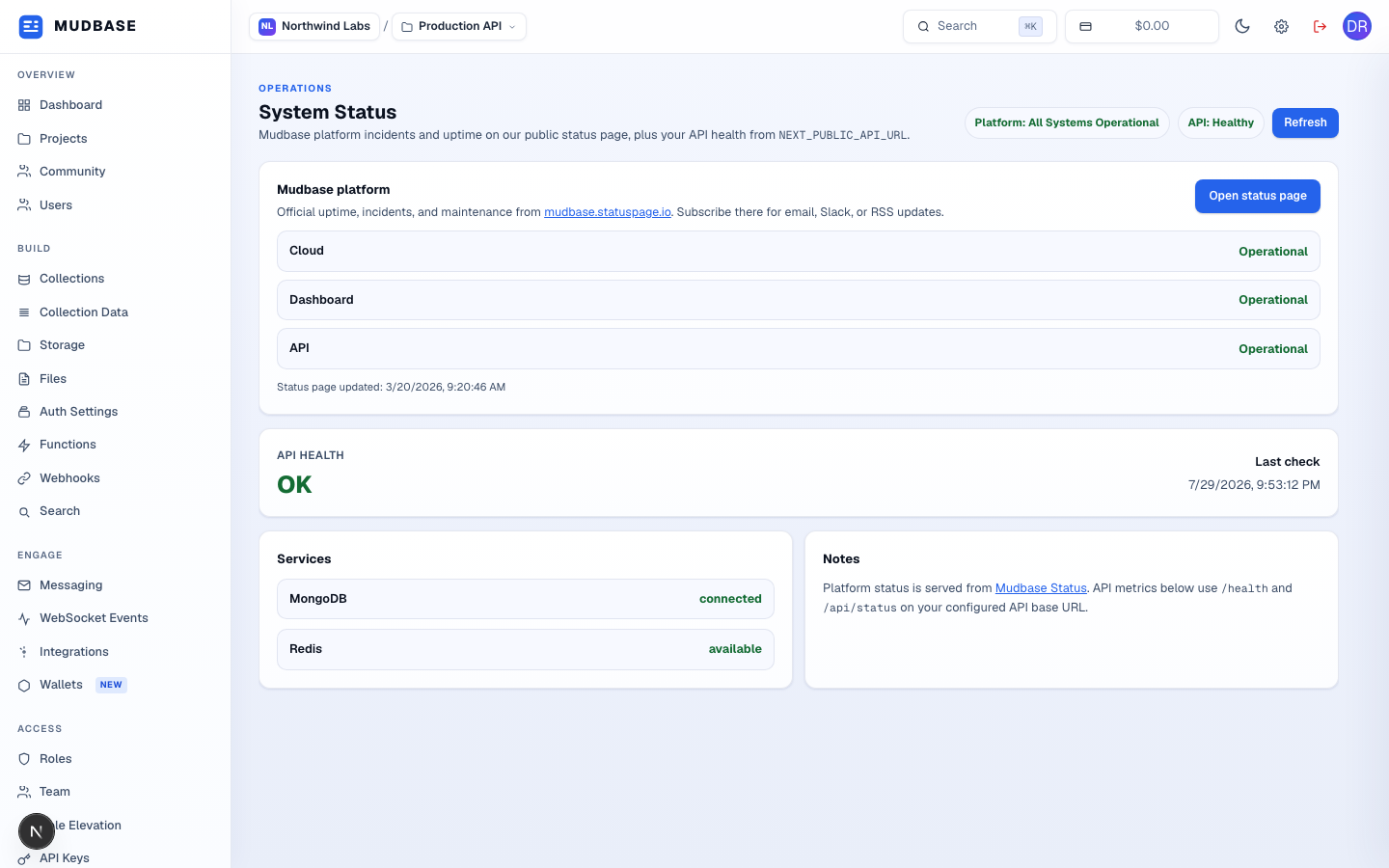
- The Platform badge summarizes the public status page's overall indicator; the API badge summarizes your own API's health check and configured services in one word.
- Live component statuses pulled from mudbase.statuspage.io - Cloud, Dashboard, API, and any others currently published, each with its own status.
- Opens the full public status page in a new tab, where you can also subscribe to email, Slack, or RSS incident updates.
- The raw result of
GET /healthagainst your project'sNEXT_PUBLIC_API_URL, plus when it was last checked. - MongoDB and Redis connection status from
GET /api/statuson the same API base URL - this is your own deployment's dependency health, not Mudbase's.
Note
If the platform badge fails to load (the public status page itself is unreachable), the card shows the error inline with a direct link to open the status page yourself - it never blocks the API health section underneath, since the two are unrelated.