Console Guides
Functions
Functions are small pieces of server-side code Mudbase runs for you, triggered by an HTTP call, a database event, a schedule, or a few other sources.
Find it
Functions is in the sidebar under the Build group.
Deploy one
Click + Deploy in the top-right corner. The deploy dialog asks for a name, an optional description, the function's JavaScript code, and a trigger - the event that causes it to run (http, document, file, webhook, messaging, or cron). For a document trigger, pick which collection and which event (create/update/delete) should fire it; for cron, give it a schedule.
Manage deployed functions
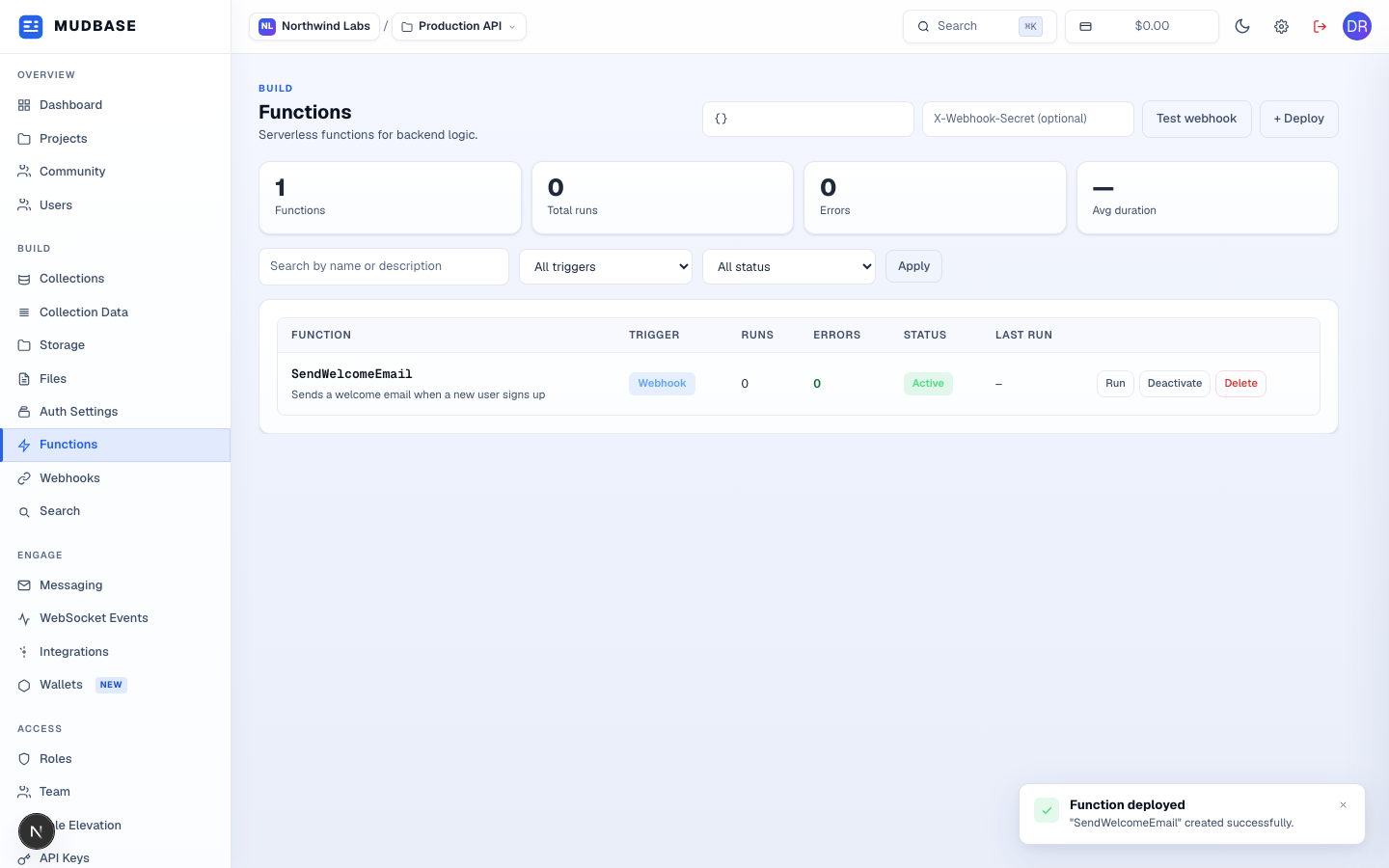
- + Deploy opens the same dialog described above, for a new function.
- Run executes the function immediately with a test payload; Deactivate stops it from firing on its trigger without deleting it; Delete removes it entirely.
Testing a webhook-triggered function
If any deployed function uses a webhook trigger, the toolbar grows a Test webhook control - paste a JSON payload and optional secret header, then fire it against every webhook-triggered function in the project.