Console Guides
Integration Details
Edit a configured integration's name, credentials, config, and endpoints; test a single request, execute a real call, review usage, or export its definition as JSON.
Find it
There is no sidebar entry for this page - click a card (or View details) on Integrations to land here. Editing requires org:update permission.
Header, General, Credentials
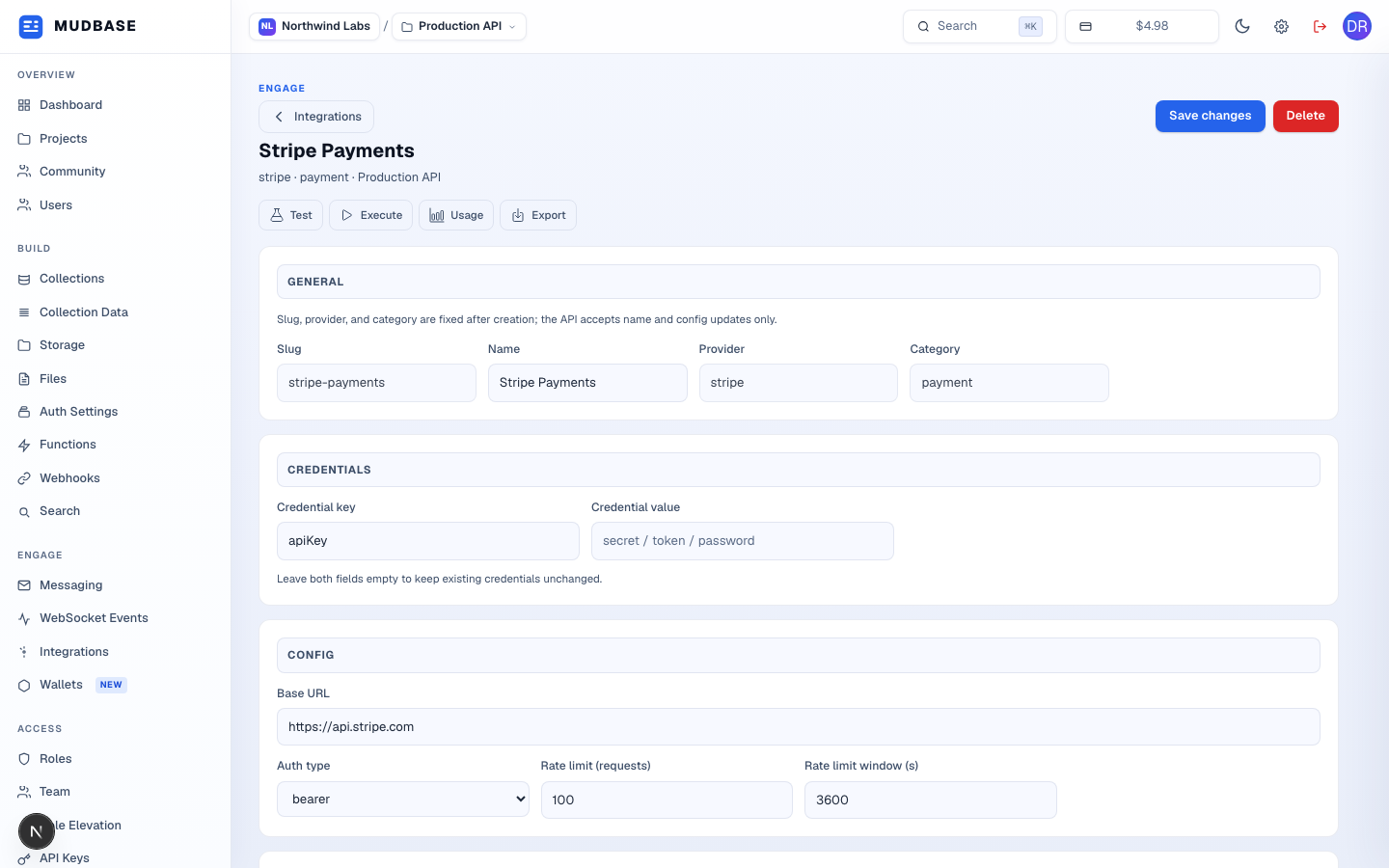
- Returns to the Integrations list.
- Persists Name and any Config or Credentials changes below via one PATCH request.
- Opens a confirmation dialog, then permanently removes this integration.
- Test sends one ad-hoc request to a path/method you specify and shows the raw result. Execute calls a defined endpoint by name with params/body you supply. Usage shows request/error counts and whether it's active, by day, week, or month. Export downloads or copies the integration's definition as JSON - the same shape Set up Integration accepts on import.
- Slug, provider, and category are fixed after creation - only Name and everything below it can change.
- A single credential key/value pair (e.g.
apiKey). The value field is always blank on load - leave both fields empty to keep the existing credential unchanged, or fill both to replace it.
Config, Default settings, Endpoints (first)
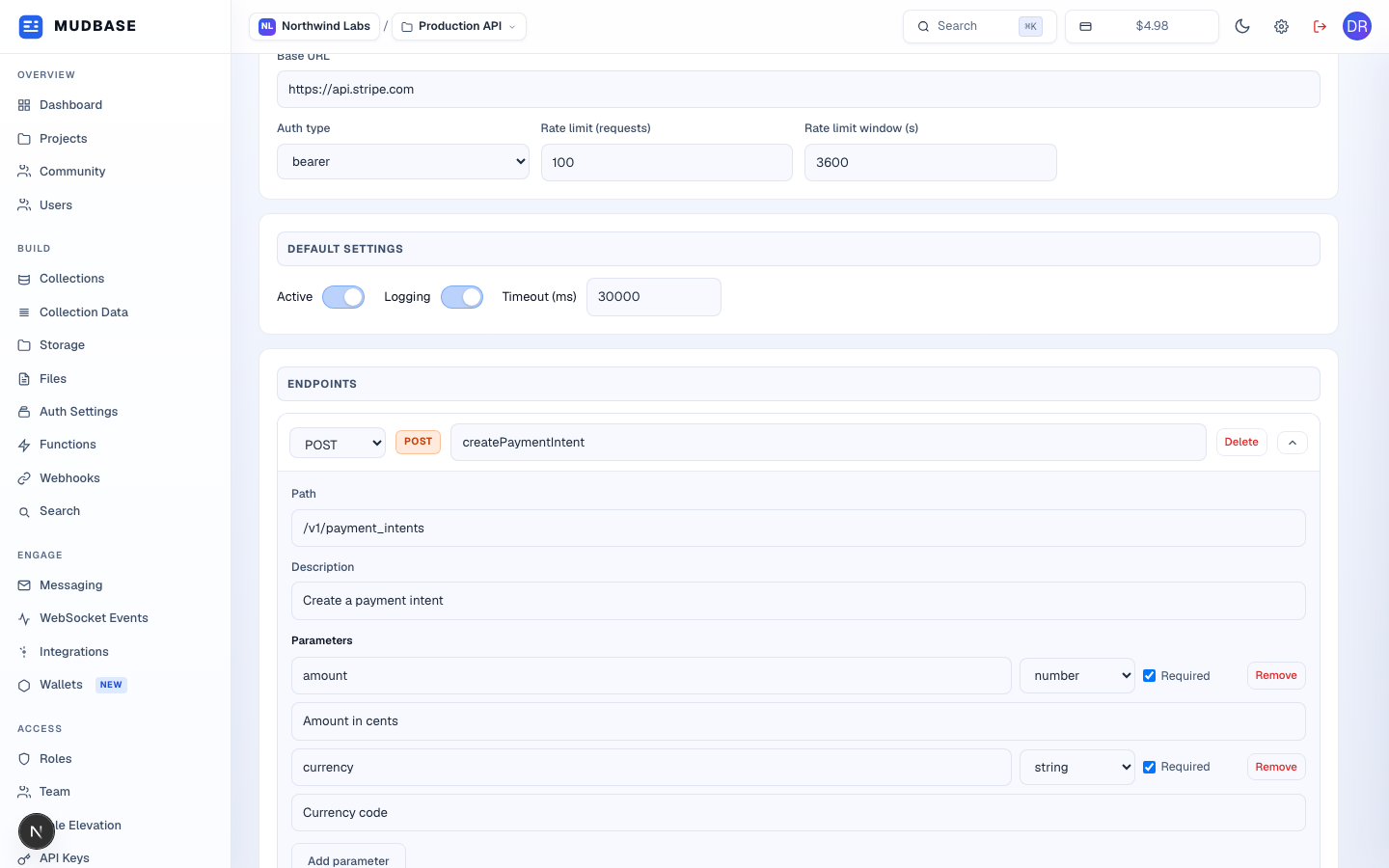
- Base URL, auth type (api_key, bearer, oauth1, oauth2, basic, custom), and a rate limit expressed as N requests per window in seconds.
- Active and Logging toggles plus a request timeout in milliseconds - these are the integration's own defaults, independent of any per-request override.
- Every defined HTTP endpoint on this integration, each expandable/collapsible.
- Method, name, path, description, and a list of typed parameters (string/number/boolean/array/object) each with a required flag and description - Delete removes the whole endpoint, Remove drops a single parameter.
Endpoints (second), Add endpoint, Save
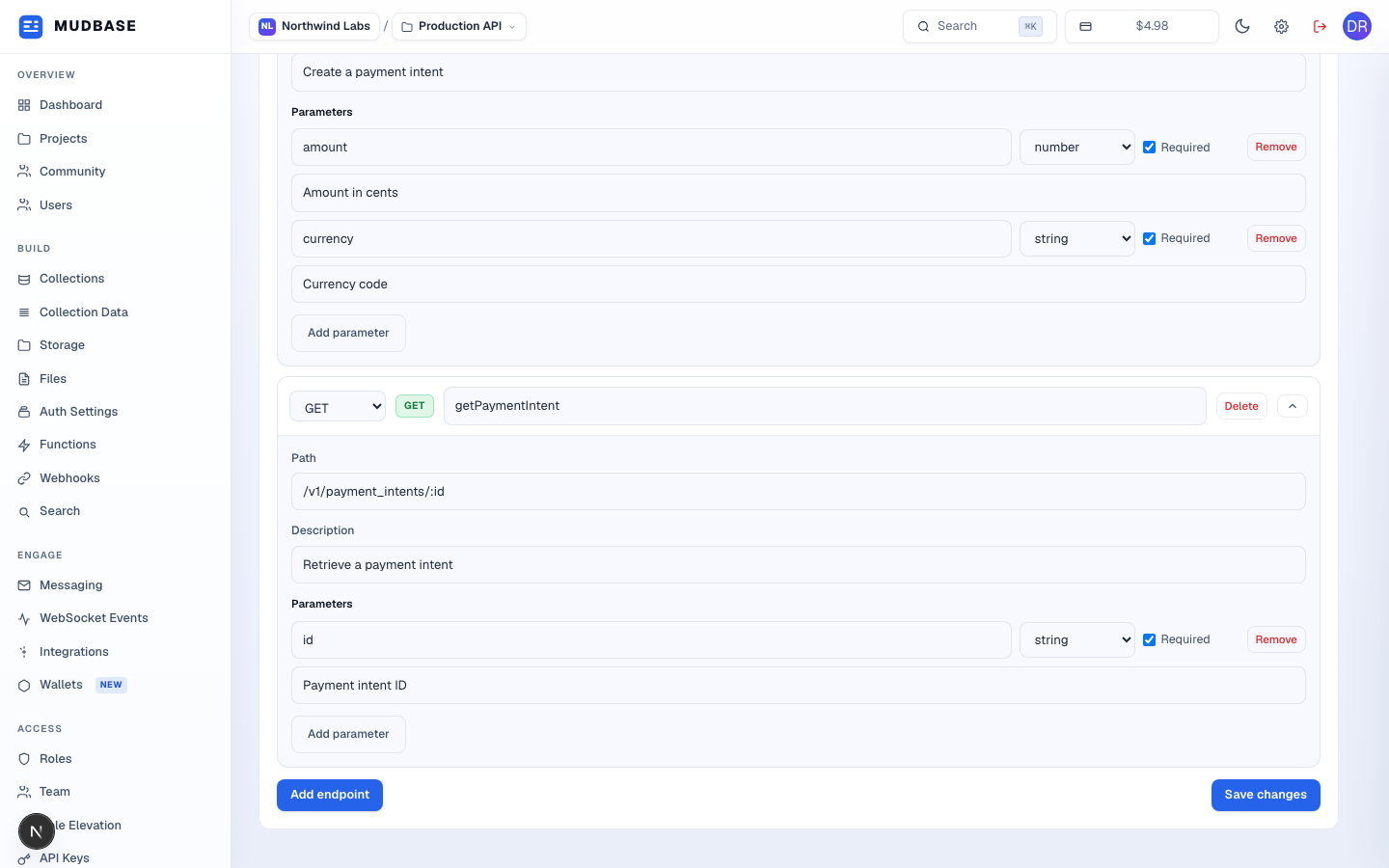
- The second seeded endpoint - a GET call with a required string id parameter.
- Appends a new blank GET endpoint to the list for you to fill in.
- The same Save changes action as the top toolbar, repeated here so long endpoint lists don't require scrolling back up.
Tip
Test and Execute are genuinely different calls: Test posts to this integration's own
/test route with a path/method/params you type in - useful for probing an endpoint that isn't saved yet. Execute calls /execute against a saved, named endpoint and also refreshes this page's data afterward, since a real call updates the integration's usage counters.