Console Guides
Domains
Custom hostnames for your project's API traffic - add a domain, track it through DNS verification and certificate issuance, and set the org's primary domain.
Find it
Domains is in the sidebar under the Operations group. Custom domains require a Growth or Scale plan (or the custom-domain add-on on eligible plans) - on Free, the add-domain form is disabled but any existing rows still list.
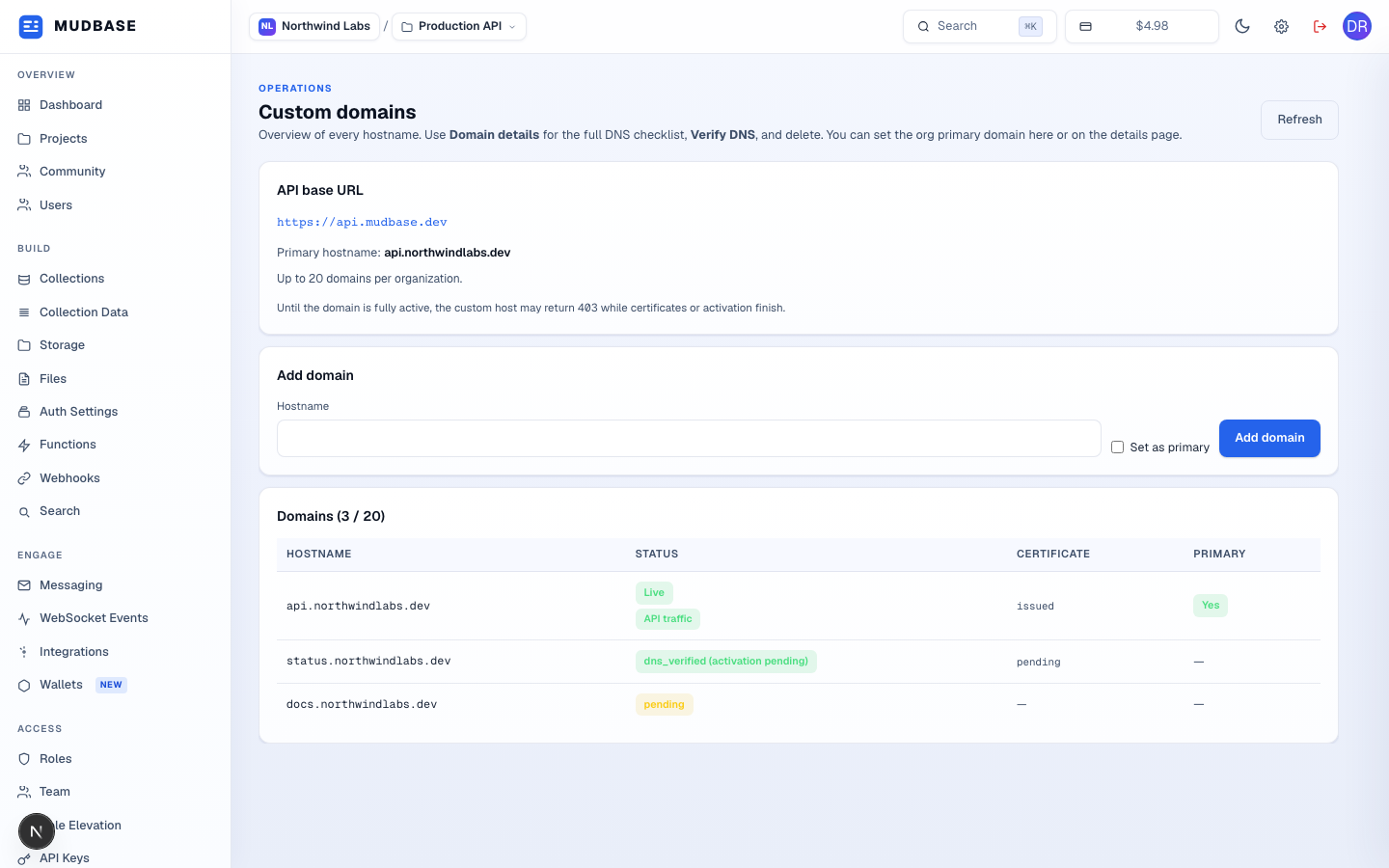
- The URL your app should call instead of the shared
api.mudbase.devonce a custom hostname is live, plus the org's current primary hostname and the domain limit for this plan. Until a domain is fully active, requests through it can return403while certificates or activation finish. - Enter a hostname (e.g.
api.example.com) and optionally check Set as primary, then Add domain. This only registers the hostname - open Domain details next for the DNS records to add and to run Verify DNS. - Every hostname on this project with its status, certificate state, and whether it's the org's primary domain.
Liveplus anAPI trafficbadge means the hostname actually serves this project's API today. - Click any row to open Domain details for the full DNS checklist, Verify DNS, and removal.
Note
Status badges reuse the same green for both
Live and the intermediate dns_verified / cname_pending_staff states - look at the Certificate column and the (activation pending) suffix to tell them apart from an actually-routed hostname. The real status enum also includes cname_approved, northflank_dcv_pending, northflank_pending_staff, and failed - all shown as plain text with the same color logic.