Console Guides
Usage
Usage shows metered resource consumption against your plan's included allowance, at both the organization and individual-project level.
Find it
Usage is in the sidebar under the Operations group.
Reading the page
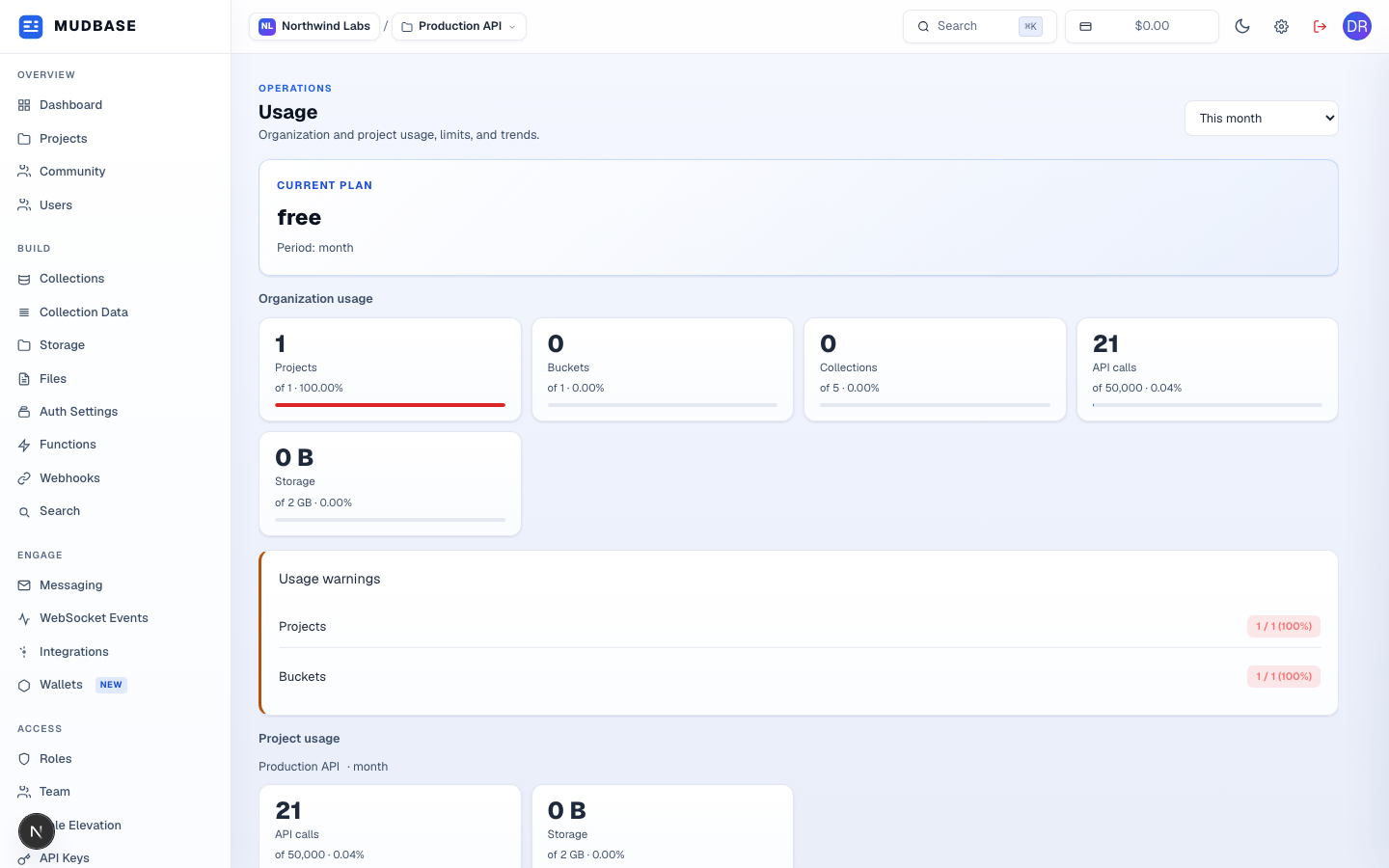
- Switch the reporting window - this month, last month, and so on.
- Your current plan tier and its billing period.
- Every metered resource for the whole organization - projects, buckets, collections, API calls, storage - each shown as a count and a progress bar against its plan limit.
- Any resource at or near its limit is called out here explicitly, so you don't have to scan every bar above to spot what needs attention.
Project usage further down repeats the same API-calls-and-storage breakdown scoped to just the currently selected project, useful once an organization has more than one.
Note
A resource at 100% doesn't fail requests automatically - it means you're at your plan's included allowance. What happens next (blocked vs. billed overage) depends on the specific resource and your plan; check Settings → Plan and Subscription for the exact terms.