Console Guides
Community
A public gallery of projects anyone can fork - official Mudbase starters alongside projects other teams have chosen to publish. Publishing and forking both happen from a project's own Projects page; this page is the browse-and-fork surface.
Find it
Community is in the sidebar under the Overview group.
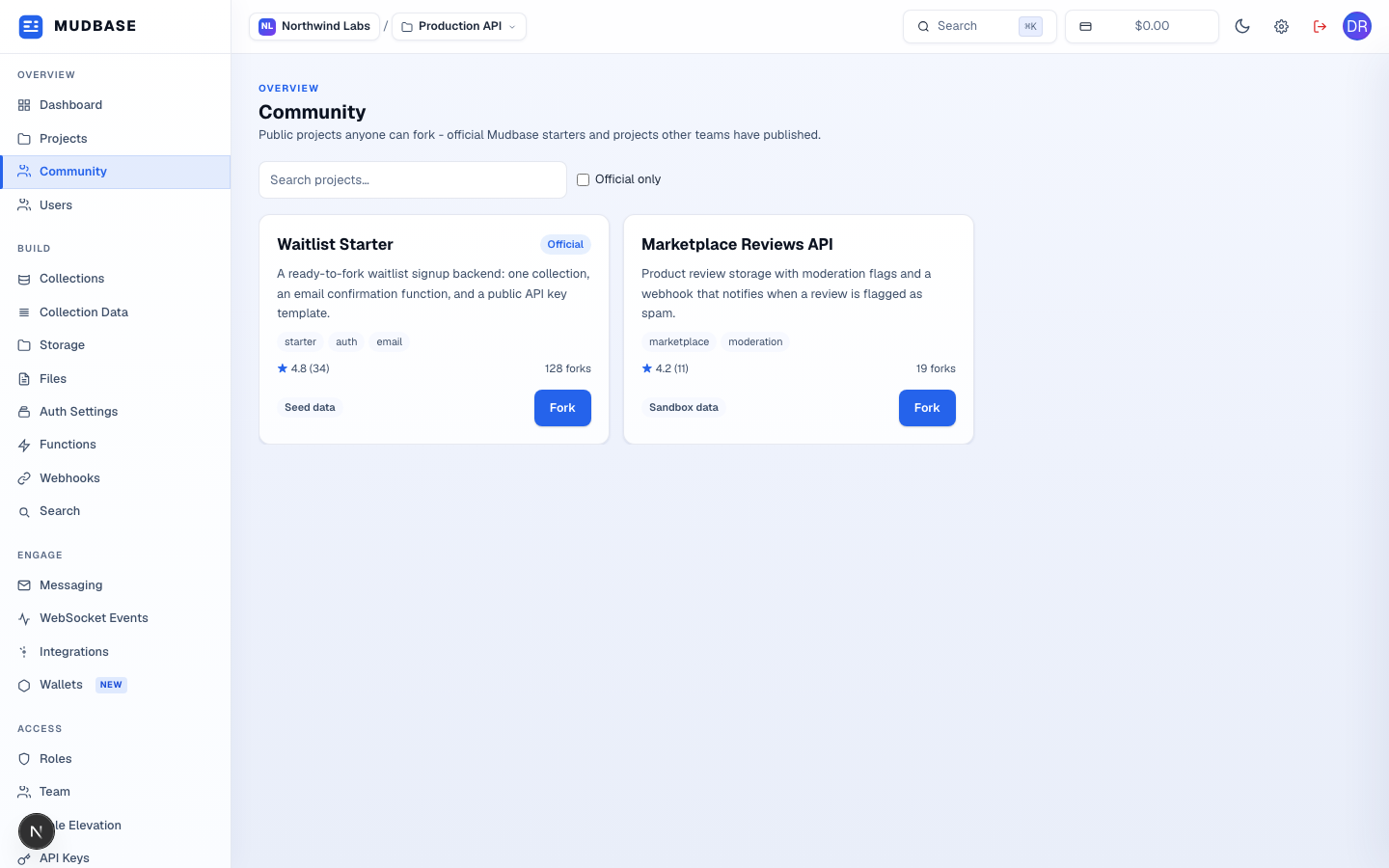
- Matches against the project's public title and summary.
- Restrict the grid to official Mudbase starters - a flag only the platform team sets, not something an org can claim for its own published project.
- Tags, star rating, fork count, and a data profile badge (
Seed data,Sandbox data, orProduction data) telling you what you'd be bringing in if you include data on fork. A project published with no rating yet shows No ratings yet instead of a star average. - Any org can publish a project publicly from its own Projects page - it appears here for everyone, official badge or not.
- Opens the fork dialog for that project. Disabled if you don't currently have an organization to fork into.
Fork a project
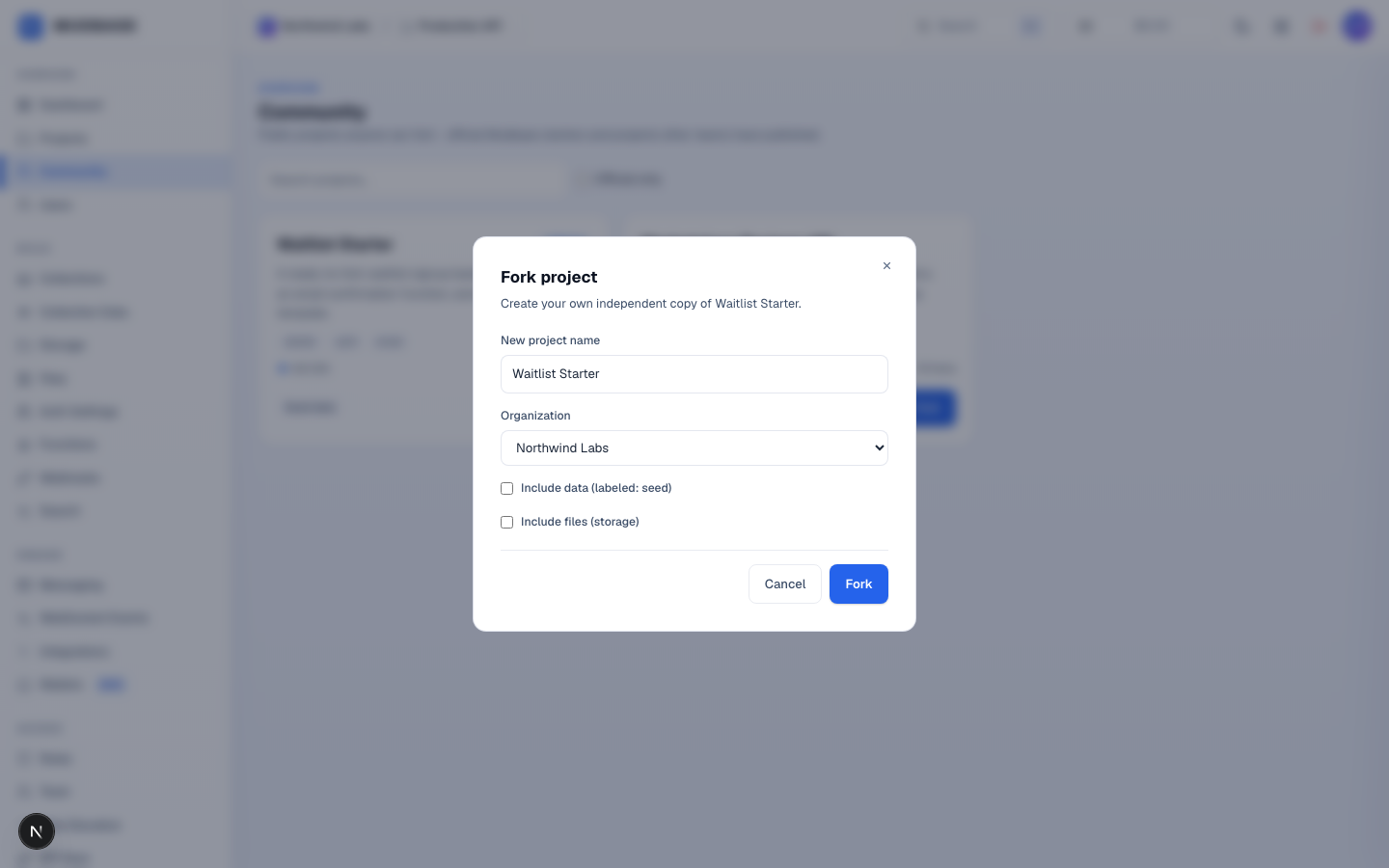
- Name the new project, pick which of your organizations receives it, and choose whether to bring the source project's data and files (storage) along - both default off, so a plain fork copies only structure (collections, functions, settings) by default.
Note
A project's visibility (private/public) and its community metadata - title, summary, tags, and the data-profile label - are set from that project's own Projects page, not from here. Marking a project's data profile as
production requires an explicit extra confirmation before it can be published, since publishing makes it forkable by anyone.