Console Guides
Project Details - Emails
A deep dive into the Emails section on Project Details: transactional templates with a built-in HTML editor, and custom SMTP settings for sending through your own provider instead of the rate-limited built-in mailer.
Find it
Emails is not its own sidebar page - open the Project Details page for a project, then click the Emails tab.
Templates
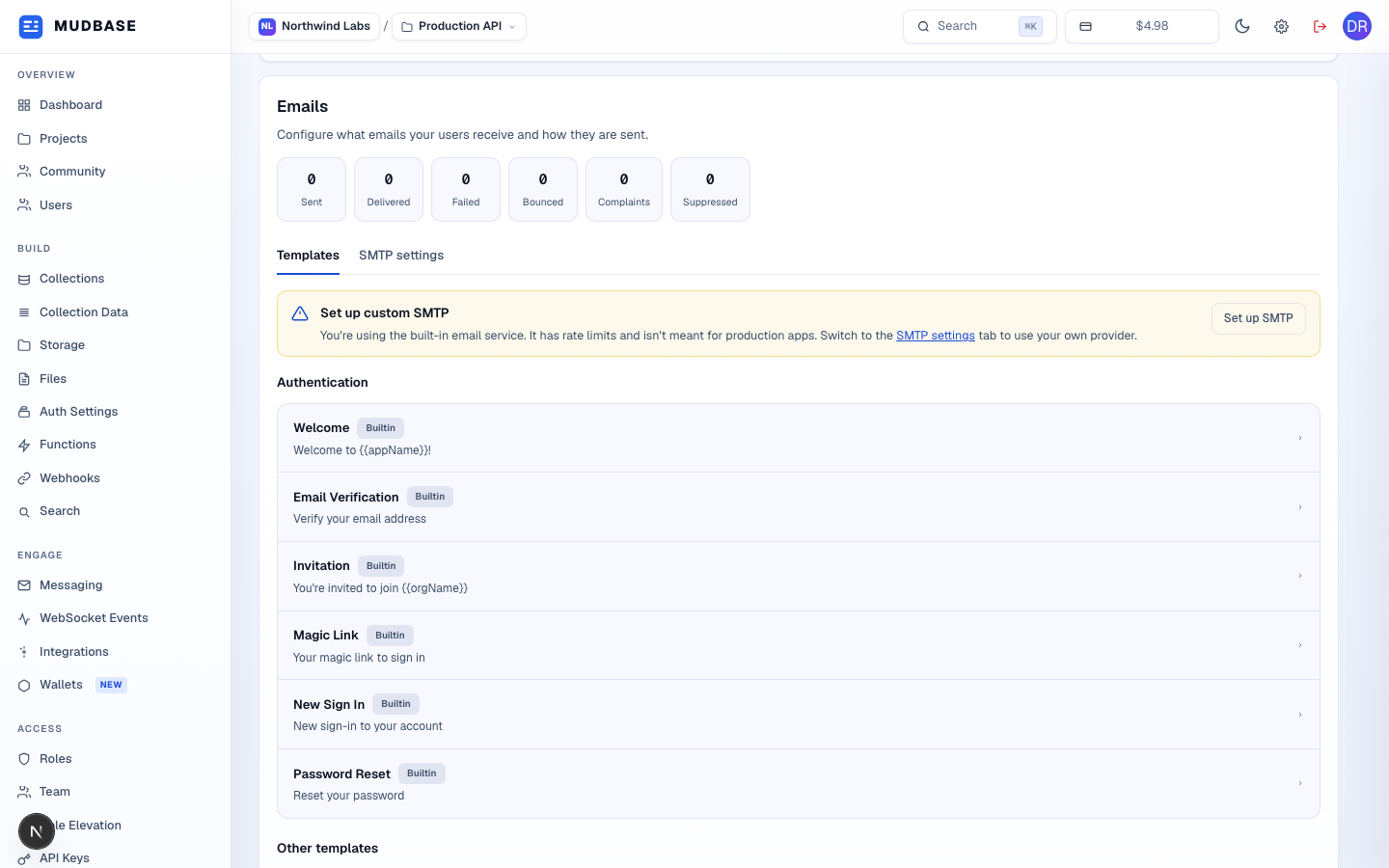
- Sent / delivered / failed / bounced / complaint / suppressed counts scoped to this project's outgoing email.
- Templates is the default tab; switch to SMTP settings to configure a custom provider (covered below).
- Six built-in templates in send order: Welcome, Email Verification, Invitation, Magic Link, New Sign In, and Password Reset. Any template not on that list (e.g. a usage-alert template) appears further down under Other templates.
- Each row shows the template name, a
BuiltinorCustomizedbadge for whether a project override exists, and a subject-line preview. Click any row to open its editor - shown next.
Template editor
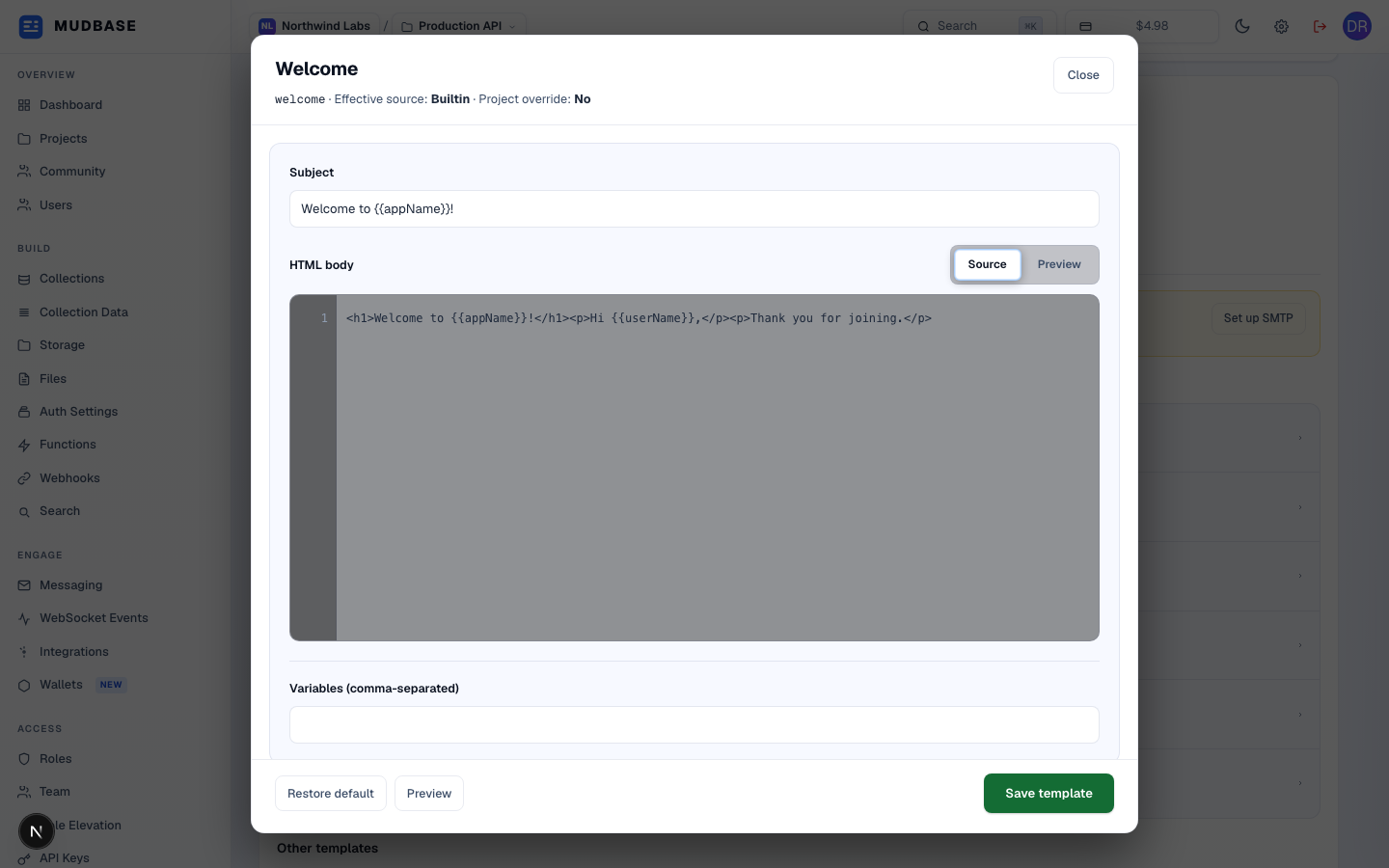
- The modal title states which template this is, whether it's still the platform's built-in copy or a project override, and shows the raw template name below.
- Plain text with {{variable}} placeholders - no HTML allowed in the subject line.
- Source is a line-numbered plain-text HTML editor. Preview renders the saved template with sample data in a sandboxed iframe - switching to it triggers a fresh render call, so save first if you want the preview to reflect unsaved edits.
- Removes any project override and reverts to the platform default for this template. Only shown to org owners/admins, and only meaningful once you've actually customized it.
- Saves the subject, HTML body, and variables list as a project-level override. Variables are comma- or newline-separated and shown as clickable pills you can insert at the cursor.
SMTP settings
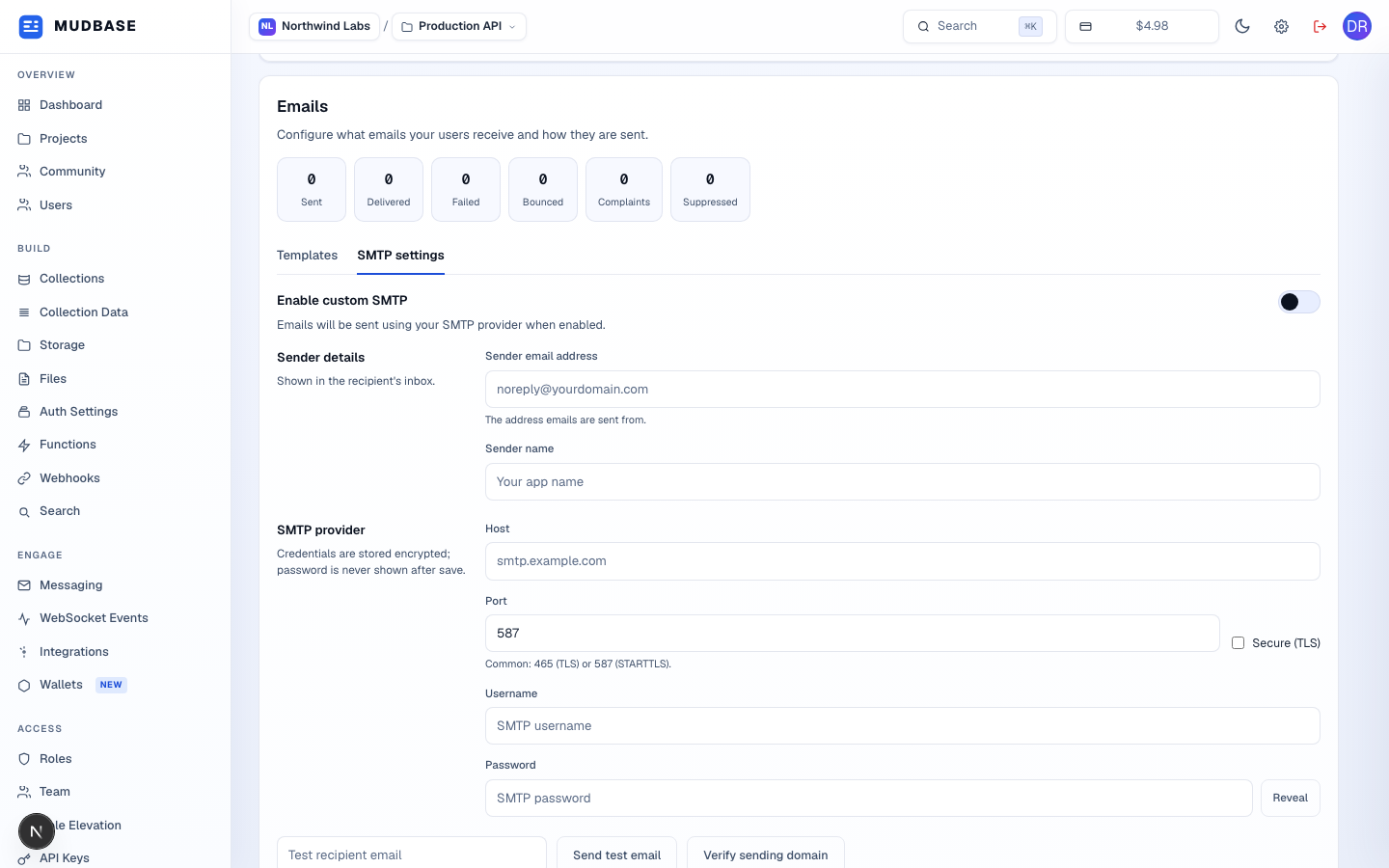
- Flips this project from the built-in mailer to your own SMTP provider. Saving with it on requires every field below (plus a password, current or newly entered) to be filled in first.
- The sender email address and display name recipients see - these populate the From header on every email this project sends once custom SMTP is enabled.
- Host, port (465 for implicit TLS, 587 for STARTTLS), a Secure (TLS) checkbox, username, and password. The password field never re-displays a saved secret - leave it blank on a later edit to keep the existing one, or type a new value to replace it. Credentials are stored encrypted.
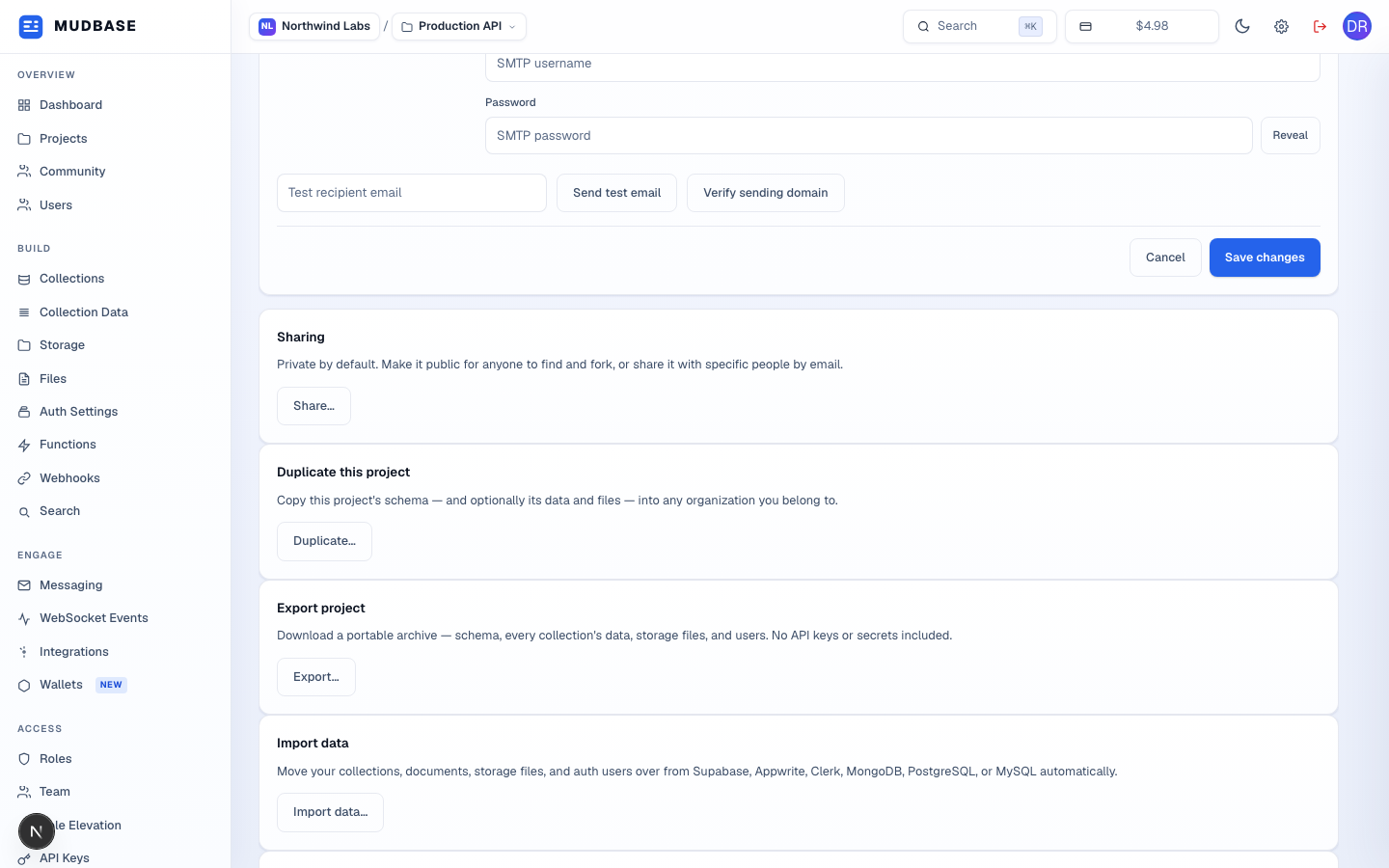
- Sends one real email through the currently saved SMTP settings to the address you enter - the fastest way to confirm credentials work before flipping the toggle on for all users.
- Checks the sender domain's DNS (MX and related records) and, if it persists successfully, records a Domain last verified timestamp above these actions.
- Cancel reverts the form to the last-saved values (disabled until you've actually changed something); Save changes is gated behind org owner/admin permission.
Note
Locally, sending real email requires an actual configured provider (an email sending token or SMTP credentials) - without one, Send test email and any real user-facing send both fail server-side before a
Message record is even created. That's a genuine current limitation of the built-in mailer in a bare dev environment, not a bug in this page.