Console Guides
Project Details
The per-project settings home, organised into five tabs: Overview (usage and plan limits), Details (name, IDs, logo, URLs), Emails, Data & sharing (export, import, cloning), and Danger zone (transfer, delete).
Find it
There is no sidebar entry for Project Details - click a project from the Projects page (or the project switcher in the topbar) to land here. The page header always shows the project logo, name, and slug regardless of which tab is active. Use the Projects back link in the header to return to the project list.
Overview tab - usage and limits
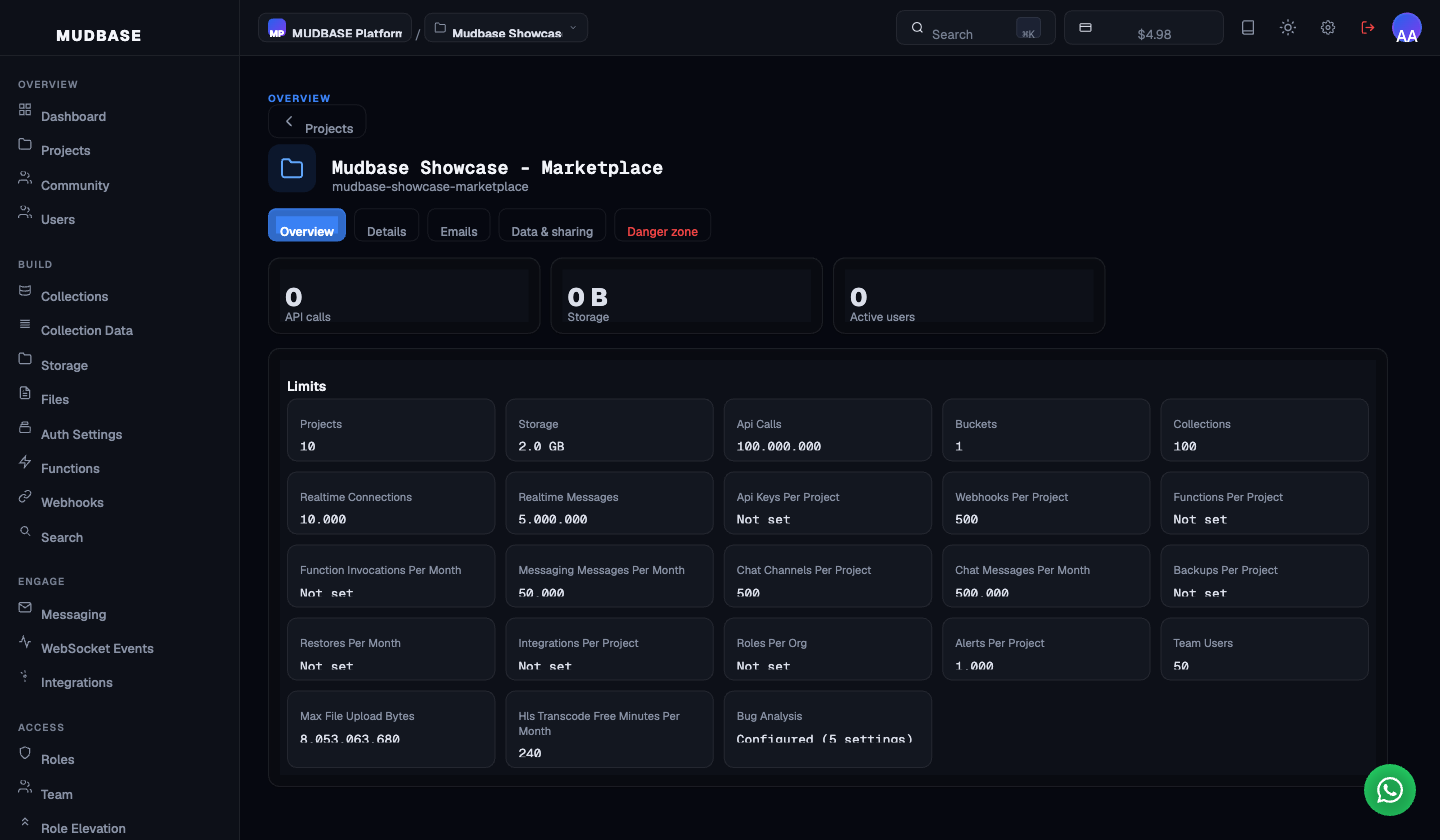
- Five tabs - Overview, Details, Emails, Data & sharing, and Danger zone - sit below the project header. The URL does not change when you switch tabs; use the browser back button or the Projects link in the header to navigate away from the page entirely.
- Three lifetime usage counters for this project: API calls made, storage consumed, and distinct active users. These are cumulative since project creation, not a rolling window.
- The Limits grid renders every metered cap the project resolves to under its organisation's current plan - function timeout, storage ceiling, monthly API call budget, and more. All tiles are read-only here. To raise a limit, upgrade the plan on Plan and Subscription.
Note
The Limits grid renders every key present on the project's resolved limits object, humanizing the key name automatically. A production project shows only actual plan entitlements.
Details tab
- Upload a PNG, JPEG, GIF, or WebP up to 2 MB. The logo appears in the page header, the project switcher, the Projects list, and community listings if the project is shared publicly.
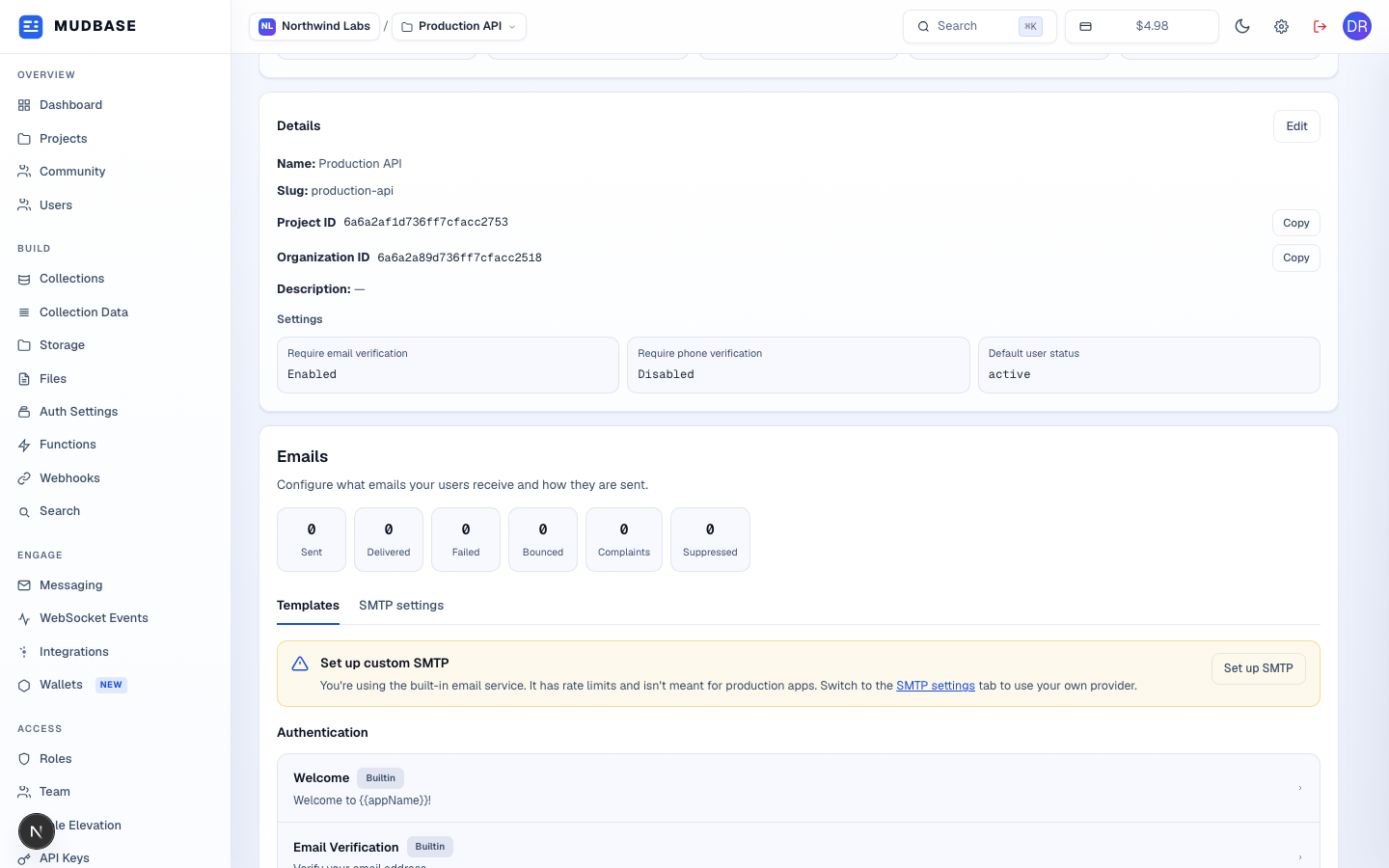
- The project's display name and URL slug. Both appear in the project switcher and the Projects list. The slug is used to identify the project in community listings.
- The Project ID and Organisation ID are the two values you pass to the Mudbase SDK and API. Each has a Copy button - click it to copy the value without selecting text. Both are read-only.
- Optional Repository URL and Live URL - both are included in exports and shown on community listings. Must start with
http://orhttps://if provided. Click Edit in the top-right of the Details card to switch into edit mode, then Save to commit or Cancel to discard. - Three end-user account defaults applied at registration: whether new sign-ups require email verification, whether they require phone verification, and the default user status (
activelets users sign in immediately;pendingholds them until manually approved).
Emails tab
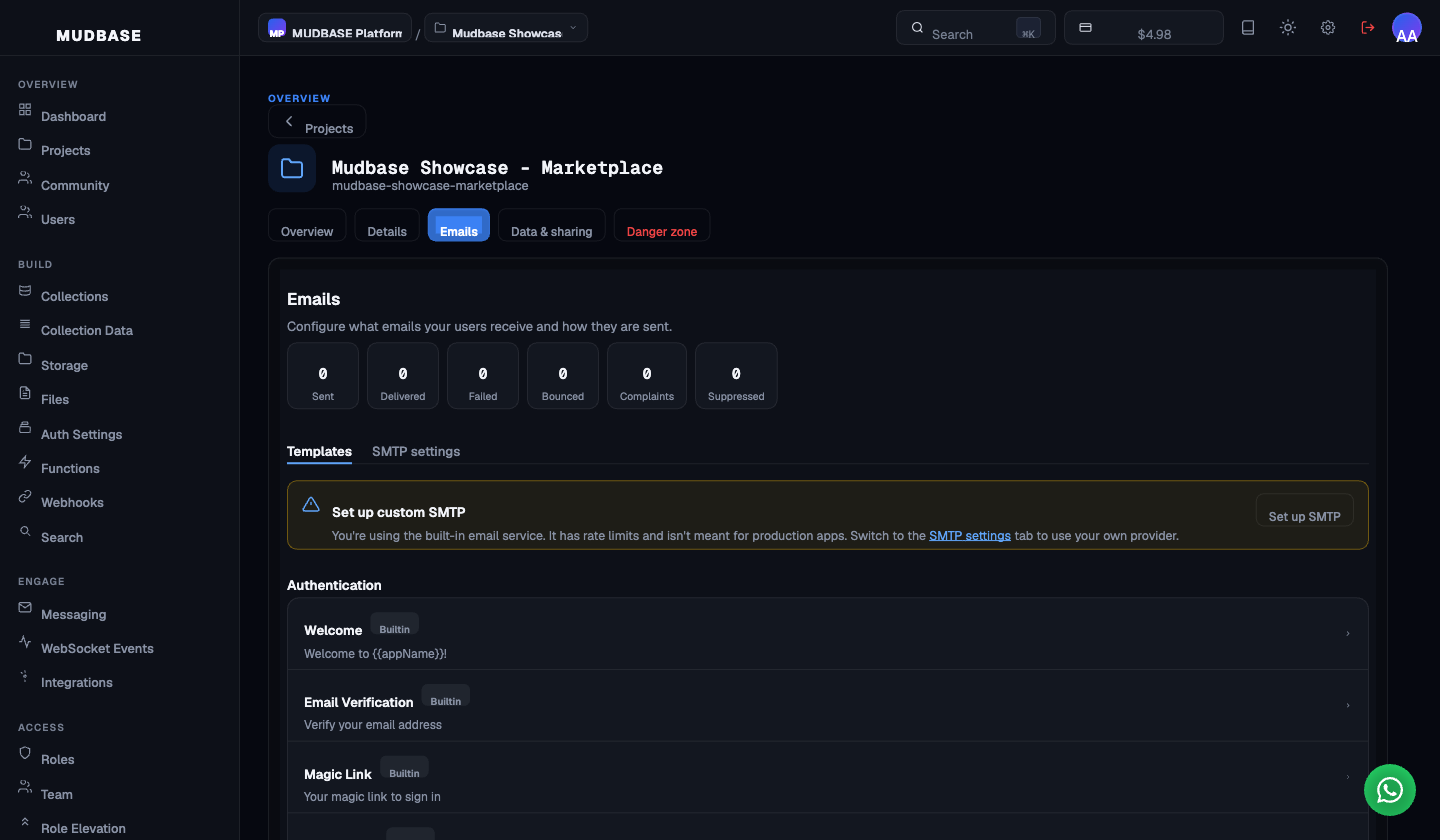
- Six send-stat pills scoped to this project's outgoing email: sent, delivered, failed, bounced, complaint, and suppressed. These reflect the lifetime totals for the project, not a rolling window.
- Templates is the default sub-tab - six built-in transactional templates with a line-numbered HTML editor and variable picker. Switch to SMTP settings to replace the built-in rate-limited mailer with your own provider.
- Six built-in authentication templates in send order: Welcome, Email Verification, Invitation, Magic Link, New Sign In, and Password Reset. Each row shows a
BuiltinorCustomizedbadge and a subject-line preview. Full template editor and SMTP walkthrough on the Emails guide.
Data & sharing tab
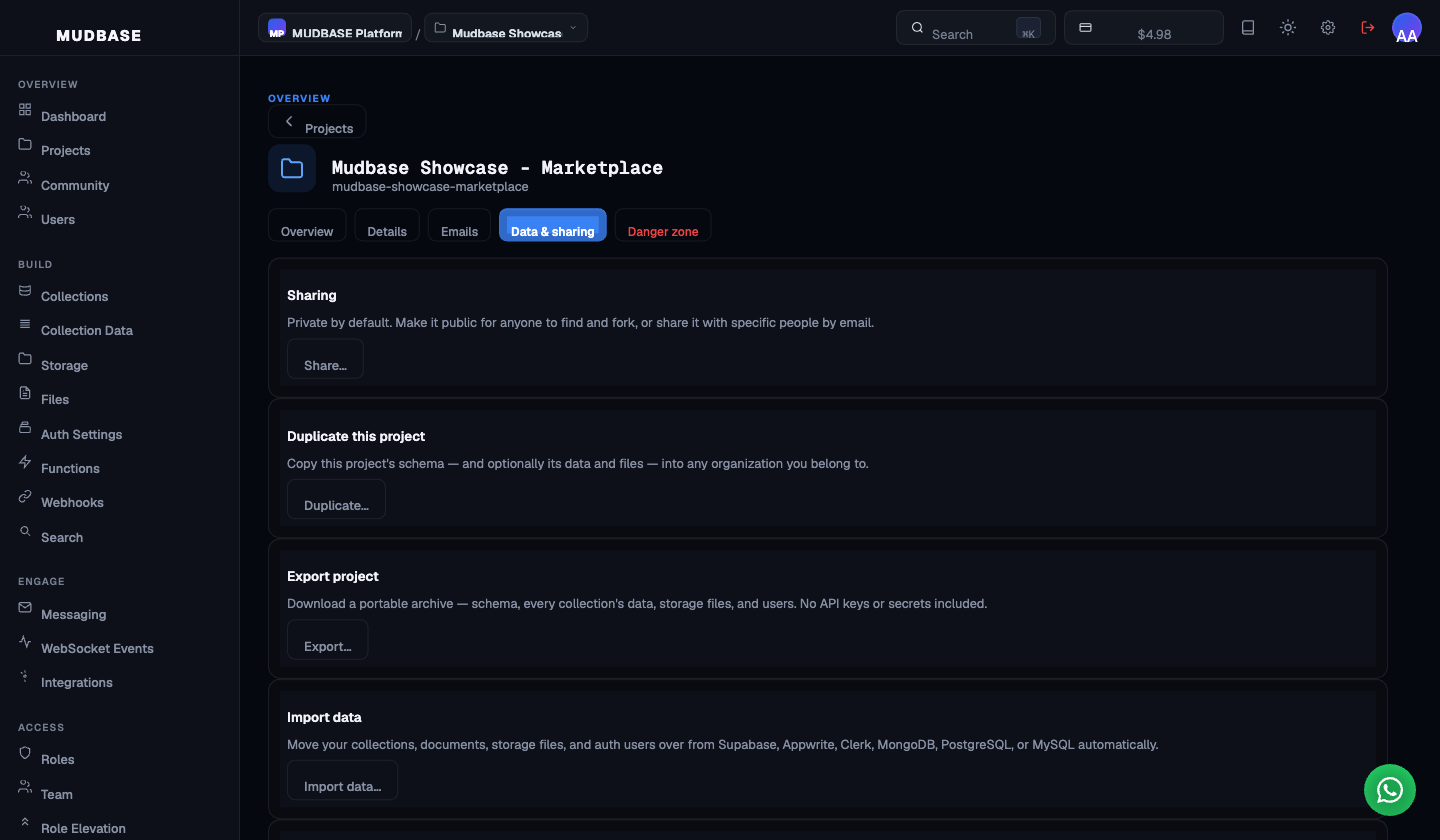
- Private by default. Click Share… to make the project publicly discoverable (anyone can find and fork it from Community), or share it privately with specific people by email address.
- Copies this project's schema - and optionally its data and storage files - into any organisation you belong to, including this one. Useful for staging environments or starting a new project from an existing template.
- Downloads a portable archive containing the schema, every collection's data, storage files, and auth users. API keys and secrets are deliberately excluded - the archive is safe to hand to another team or store as a backup. Use Restore from archive to load it back in.
- Migrates collections, documents, storage files, and auth users in from Supabase, Appwrite, Clerk, Firebase, MongoDB, PostgreSQL, or MySQL automatically. Foreign-key relationships are preserved as Mudbase reference fields; Firestore subcollections come across as their own collections. Import includes collections and their data - existing Mudbase collections in the project are preserved.
Note
A fifth card, Restore from archive, lives below the visible fold and rebuilds a project from an Export project archive - including collections, data, storage files, app roles, functions, and email templates. Secrets are not included in exports, so functions come back switched off and API keys are not recreated.
Danger zone tab
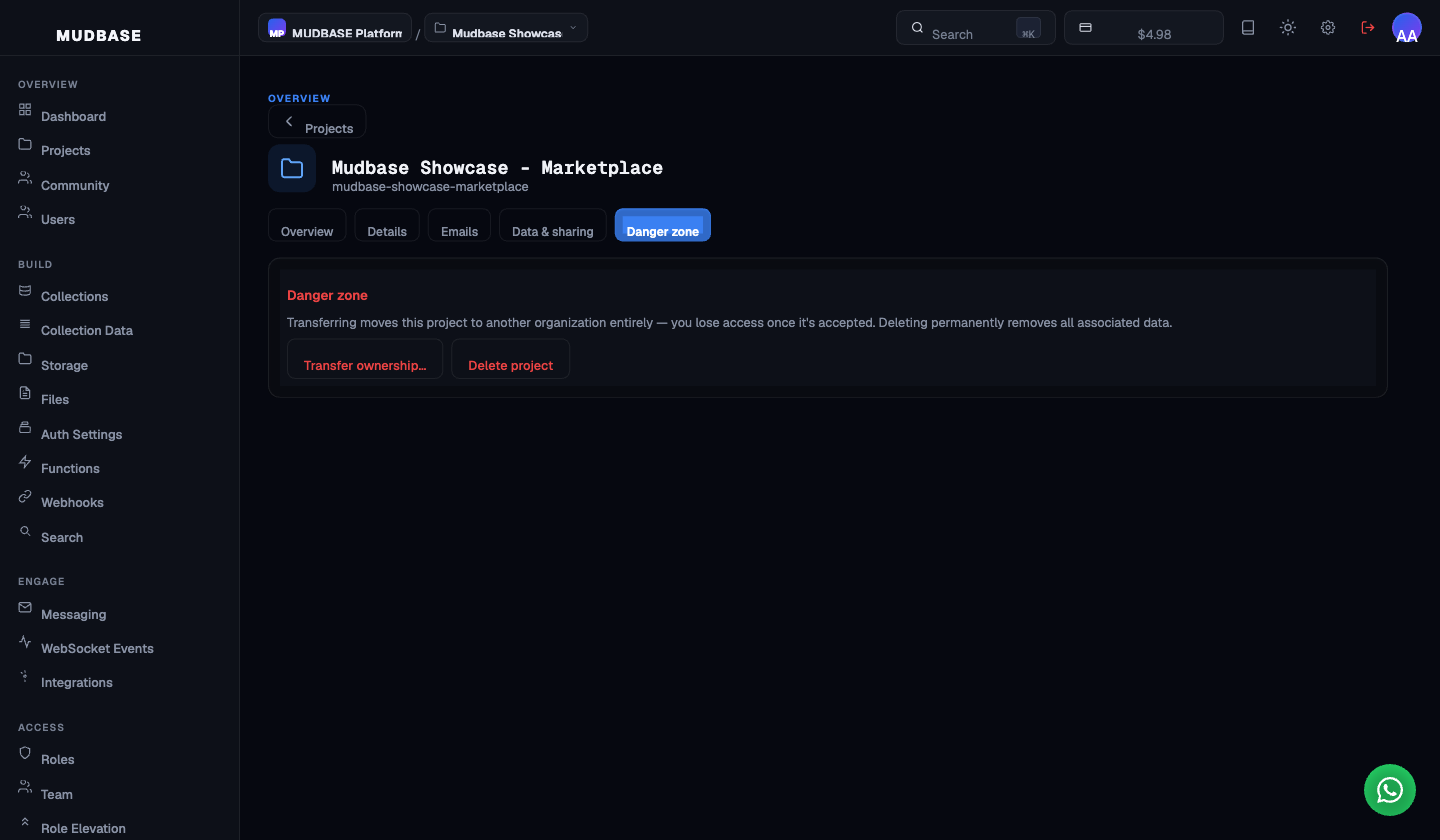
- Moves the project to another organisation. You lose access once the recipient accepts the transfer. The project's data, collections, functions, and settings all transfer with it.
- Permanently removes the project and all associated data - collections, storage, users, functions, webhooks, and email templates. This cannot be undone. A typed-confirmation dialog runs before the delete executes.