Console Guides
WebSocket Events
A live view into the same Socket.IO stream your own app can connect to - connection status, team presence, active subscriptions, and every event received this session, with a payload inspector on each one.
Find it
WebSocket Events is in the sidebar under the Engage group (labeled Realtime internally).
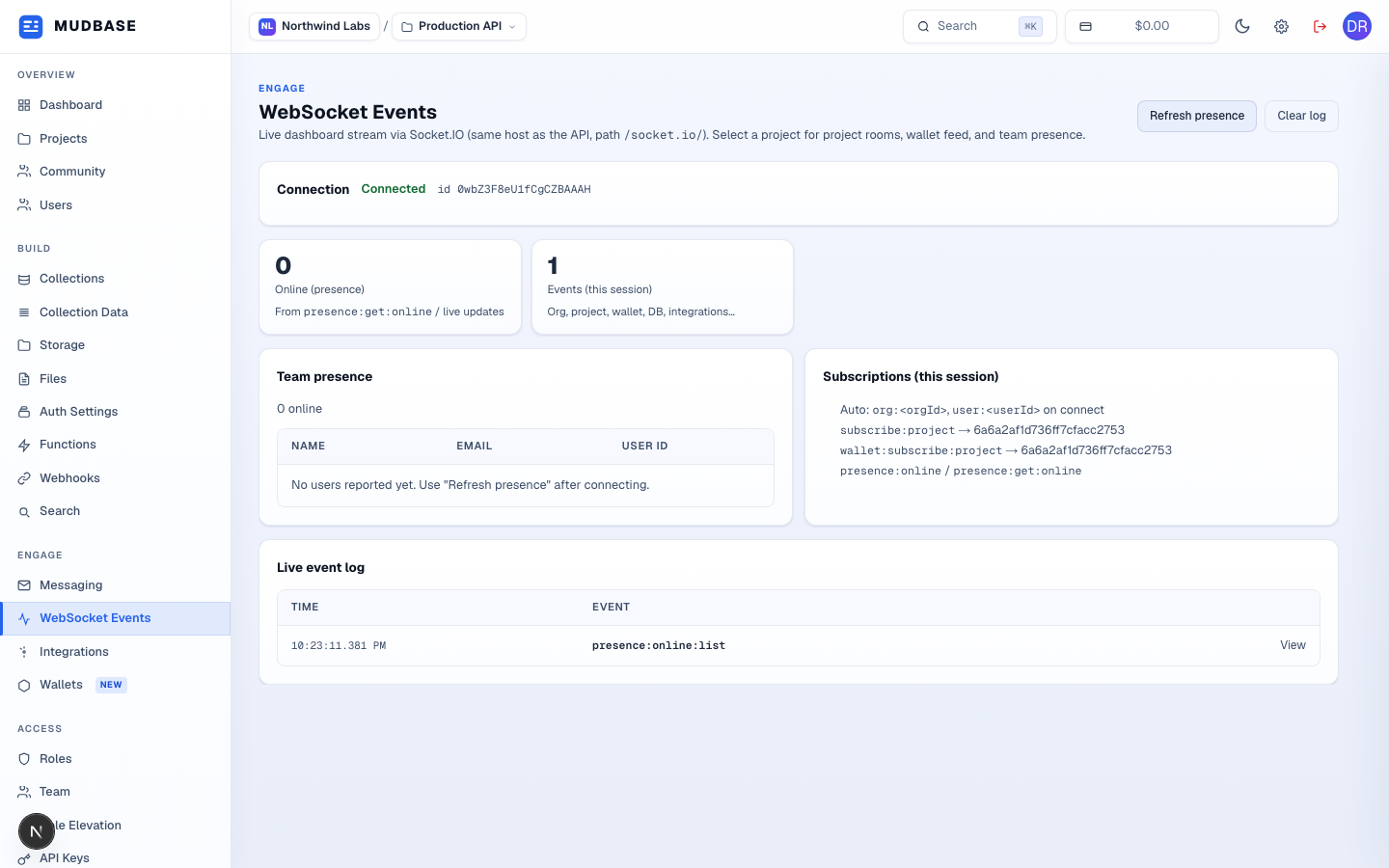
- Connects over the same host as the API at path
/socket.io/, JWT authenticated. Connected shows the live socket id; Connecting…, Disconnected, and Error are the other states, with a reconnect handled automatically by the client. - Re-emits
presence:get:onlinefor the selected project - only enabled while connected with a project selected. - Clears the event log below without disconnecting the socket.
- Online (presence) counts teammates currently viewing this project's dashboard; Events (this session) counts every socket event received since the page loaded (or since Clear log).
- Other team members with the dashboard open on this project right now. A quiet team - including a solo founder in their own org - legitimately shows 0 online here; it does not include your own connection.
- What this session auto-joined on connect: the org and user rooms always, plus
subscribe:projectand presence events once a project is selected. - Every event this socket has received - org, project, database, and integration events all land here (connect/disconnect/ping/pong are filtered out as noise). Click any row to inspect its payload.
Inspect a payload
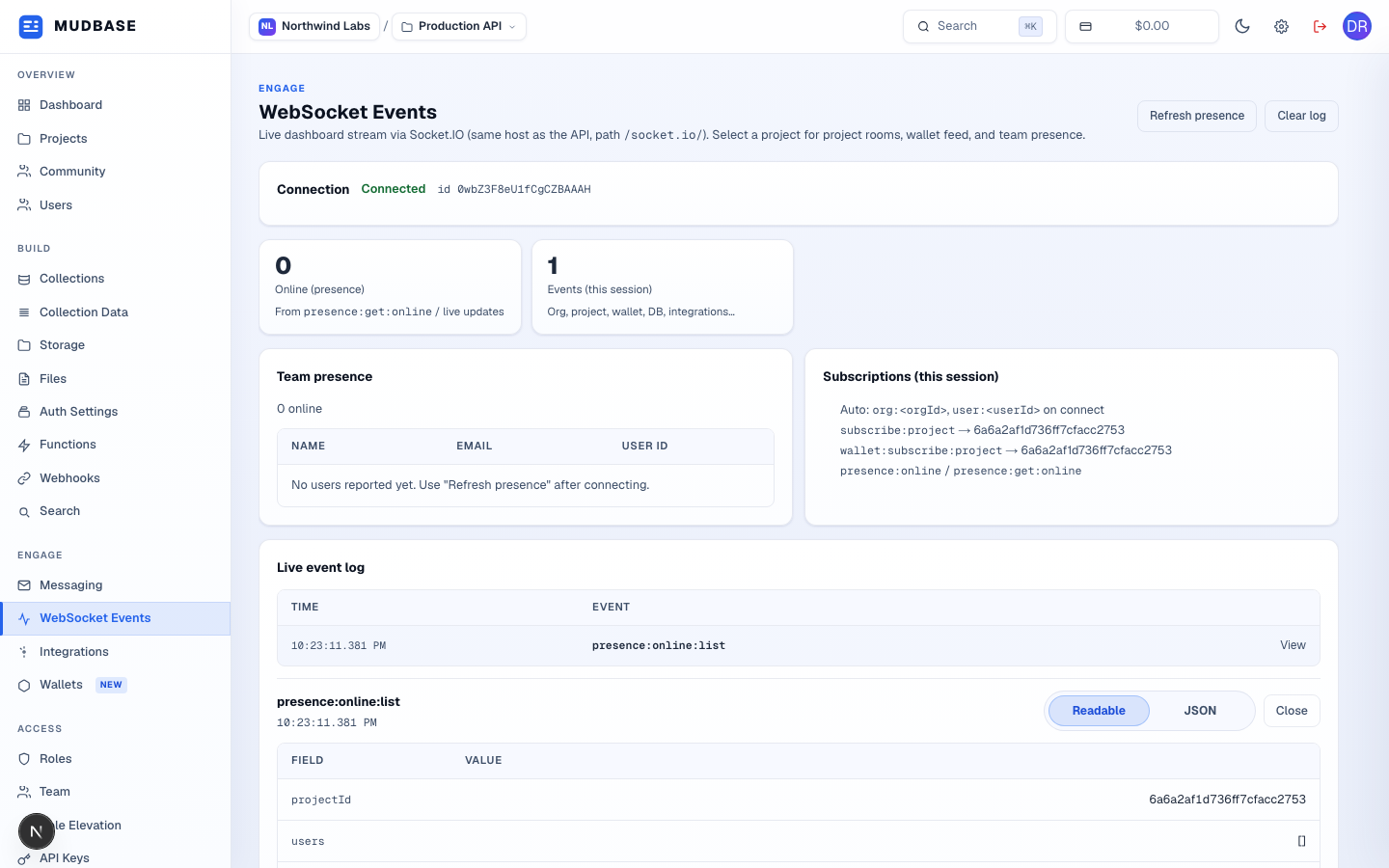
- Click a row (or focus it and press Enter/Space) to open its detail panel.
- Readable lists the payload's top-level fields as a table (capped at 24 keys); JSON shows the raw payload. Close collapses the panel without leaving the log.
Note
This page is a debugging and verification tool for the same realtime stream documented under Socket.IO - useful for confirming your project actually receives the events your own integration subscribes to, before you wire up a client.