Console Guides
Domain Details
The full DNS checklist for one hostname - ownership TXT record, the CNAME that routes traffic to Mudbase, primary-domain toggle, and DNS re-verification.
Find it
There is no sidebar entry for this page - it's reached by clicking a row in the Domains table. The URL carries the hostname as a query parameter (/console/domain-details?h=api.example.com), so this page always renders one specific domain's setup checklist, never a list.
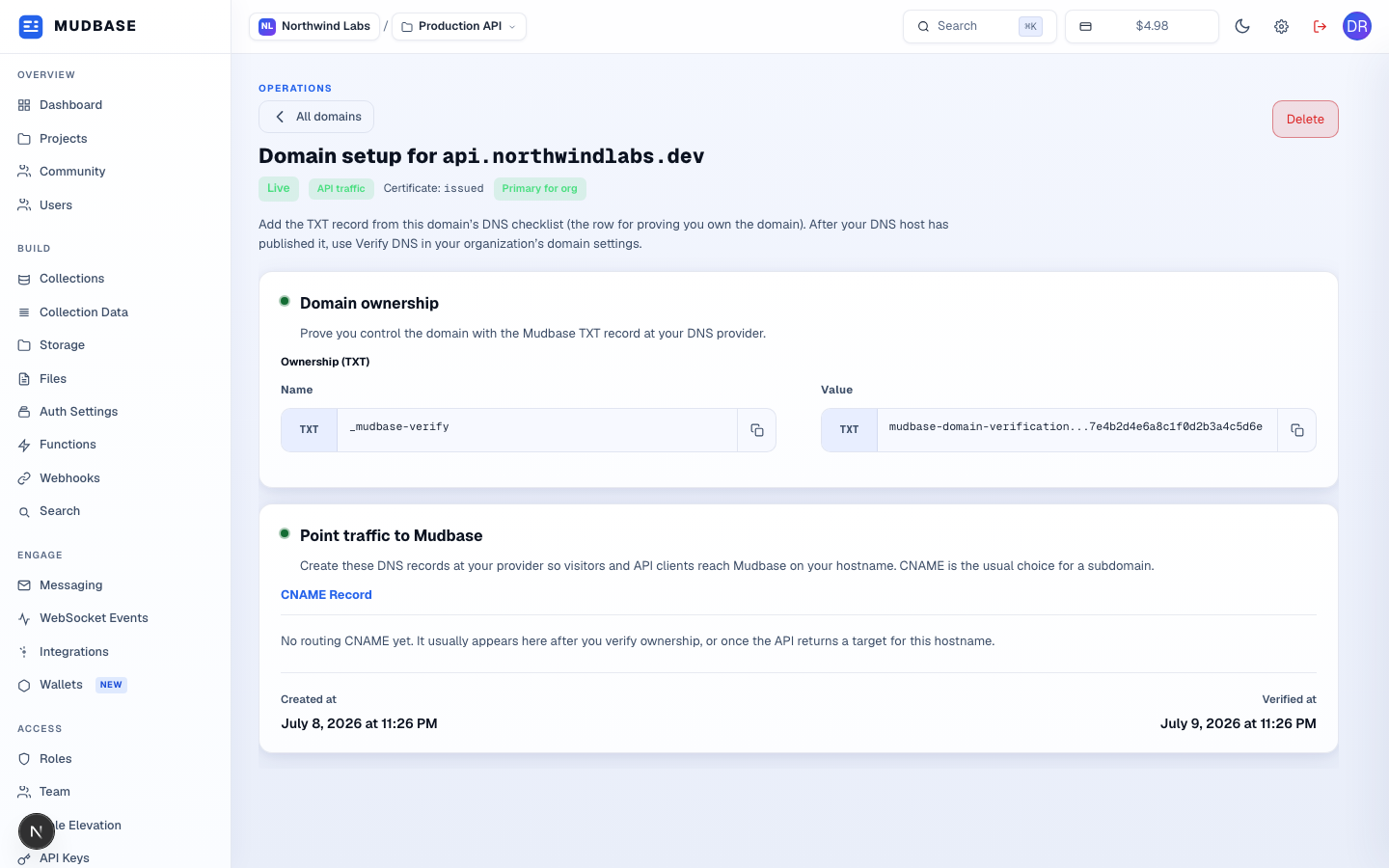
- Returns to the Domains list.
- Removes this hostname entirely. Clients using it stop resolving until you add it again - there's a confirmation step first.
LiveplusAPI trafficmeans this hostname actually serves the project's API today.Primary for orgmarks the org's default hostname; if this domain isn't primary yet, a Set as primary domain button appears here instead.- The Mudbase-issued TXT record that proves you control this domain, with copy buttons for the record name and value. Once DNS is published, use Validate in the top-right (shown only while ownership or DNS is still pending) to re-check it.
- The CNAME record that routes visitors and API clients to Mudbase on this hostname, plus when the domain was created and when it was last verified. A domain can show
Not verified yethere indefinitely if DNS was never published - this isn't a failure state, just an incomplete setup.
Note
This page shares the same
Project.allowedDomains data as the Domains list - it just renders one hostname's full record instead of a table row. The DNS records shown come from GET /api/orgs/:orgId/projects/:projectId/domains/:hostname/dns-instructions, the same single-hostname route the domain-details URL maps to.