Console Guides
Identity Verification (KYC)
Verify your own organization to unlock billing, then optionally configure a webhook so your own end-users' and business customers' verification results get forwarded to your system.
Find it
Verification is in the sidebar under the Operations group. This page covers two distinct things: your own organization's platform KYC (a one-time gate), and a separate white-label compliance webhook for verifying and monitoring your own end-users and businesses - the webhook section is owner/admin only.
Status, Compliance webhook
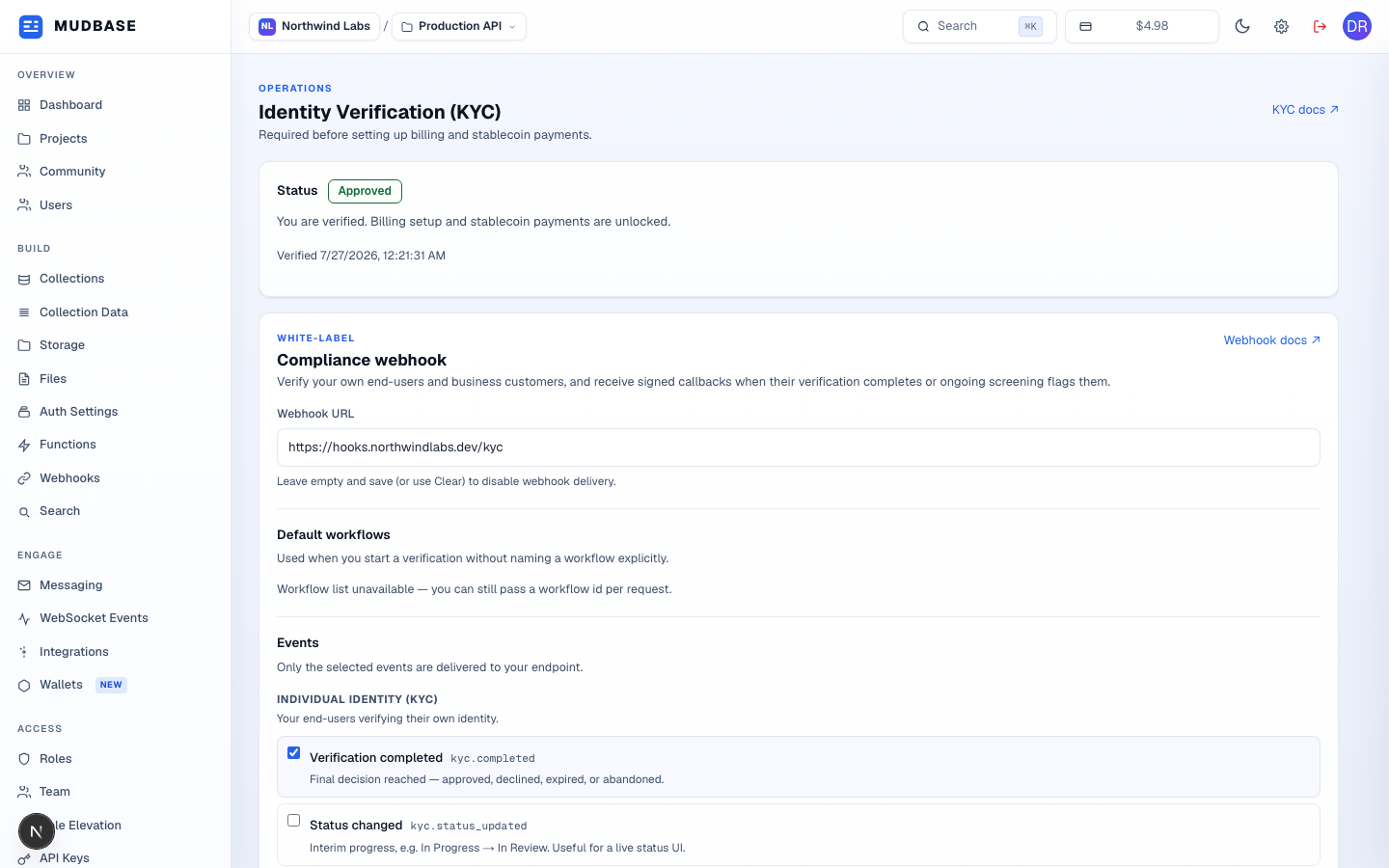
Not started,In progress,Approved, orDeclined. Anything short ofApprovedshows a Start verification / Continue verification button, which opens the hosted verification flow in a new tab.- Where your own system receives signed callbacks for your end-users' and businesses' verification events. Leave it empty and save (or use Clear) to disable delivery entirely.
- Which verification workflow to use when you start a session without naming one explicitly - one default for individual identity (KYC), one for business verification (KYB). Prices shown already include Mudbase's markup over the wholesale verification rate.
Events, Signing secret
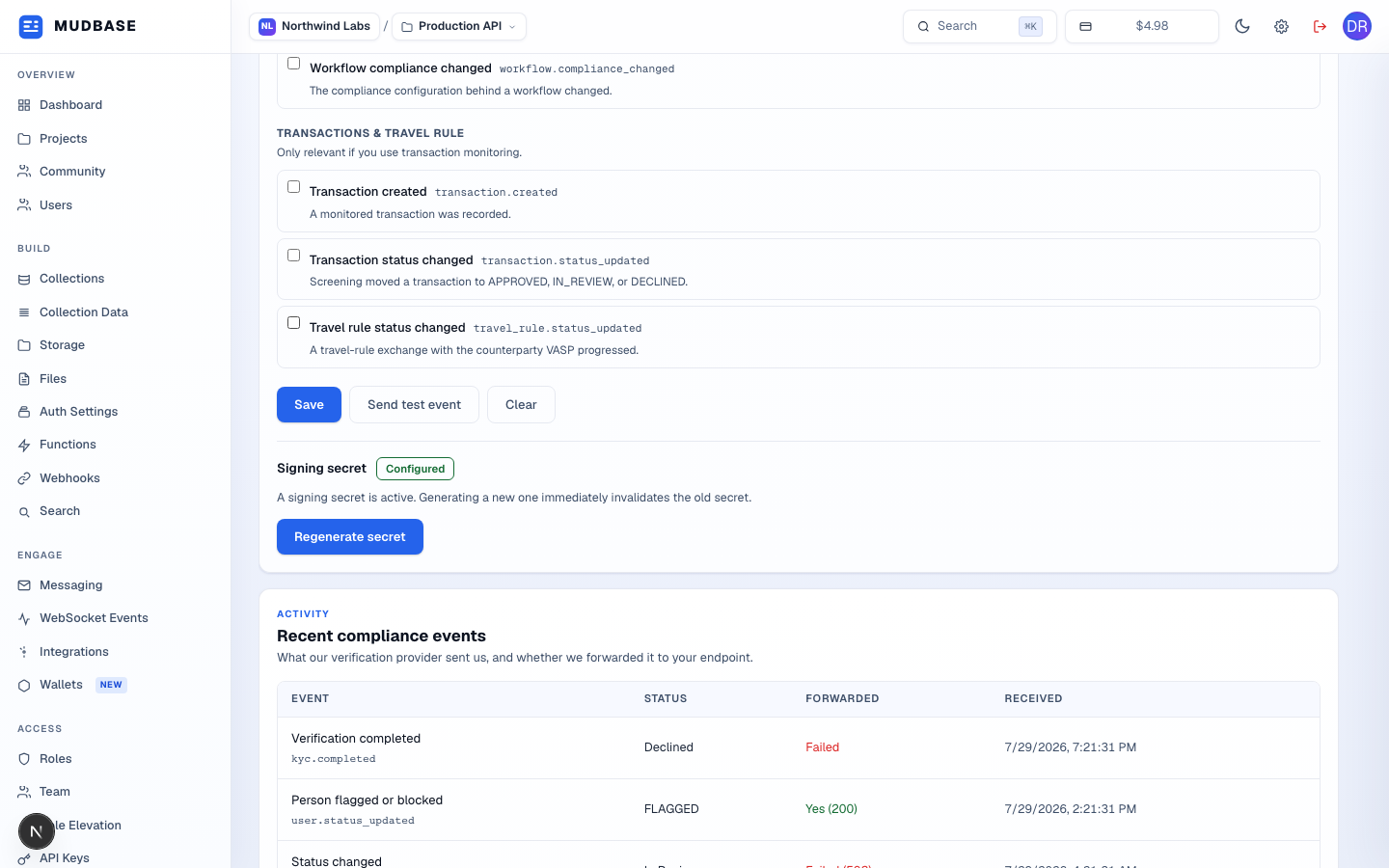
- Persists the webhook URL, selected events, and workflow defaults.
- Sends one real, signed
kyc.testpayload to your configured URL - disabled until a URL and signing secret both exist. Ignores your event selection. - Clears the webhook URL, disabling delivery without touching your event selection or secret.
- Regenerate secret immediately invalidates the previous one - the new value is shown exactly once, in a modal, right after generating it.
Recent compliance events
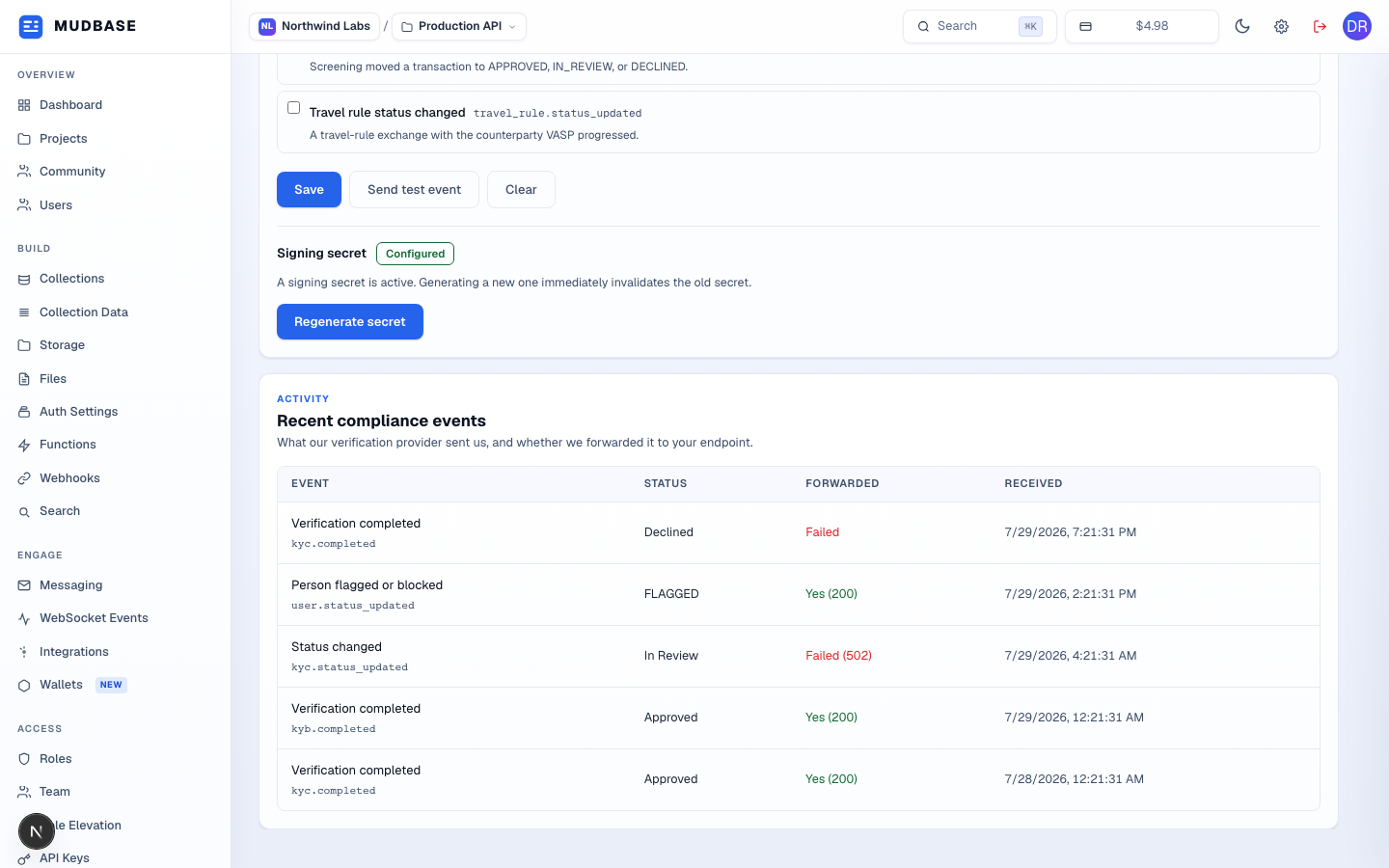
- What the verification provider sent Mudbase, and whether it was forwarded to your endpoint. The Forwarded column shows
Yes (200)on success orFailed(with an HTTP status when one exists) - useful for spotting a misconfigured or unreachable webhook URL without checking server logs.
Note
The org's own platform-KYC status (
Status above) lives on the Org document directly - kycStatus and kycVerifiedAt - and is checked live by the billing-setup endpoints on every request, not just once at an earlier "unlock" step. If your org's KYC is later revoked or flagged, access to those features is lost immediately rather than continuing on a stale approval.