Console Guides
Wallet Webhook
Edit a wallet webhook's delivery settings, send a test delivery, and review its delivery log, separate from the general-purpose project Webhooks page.
Find it
There is no sidebar entry for this page; it's reached by clicking a webhook row in the Wallet Webhooks list on the Wallets page (not yet covered in this guide set). It's a project-scoped, non-custodial-wallet-specific webhook, distinct from the project-wide Webhooks page.
Summary, Edit webhook
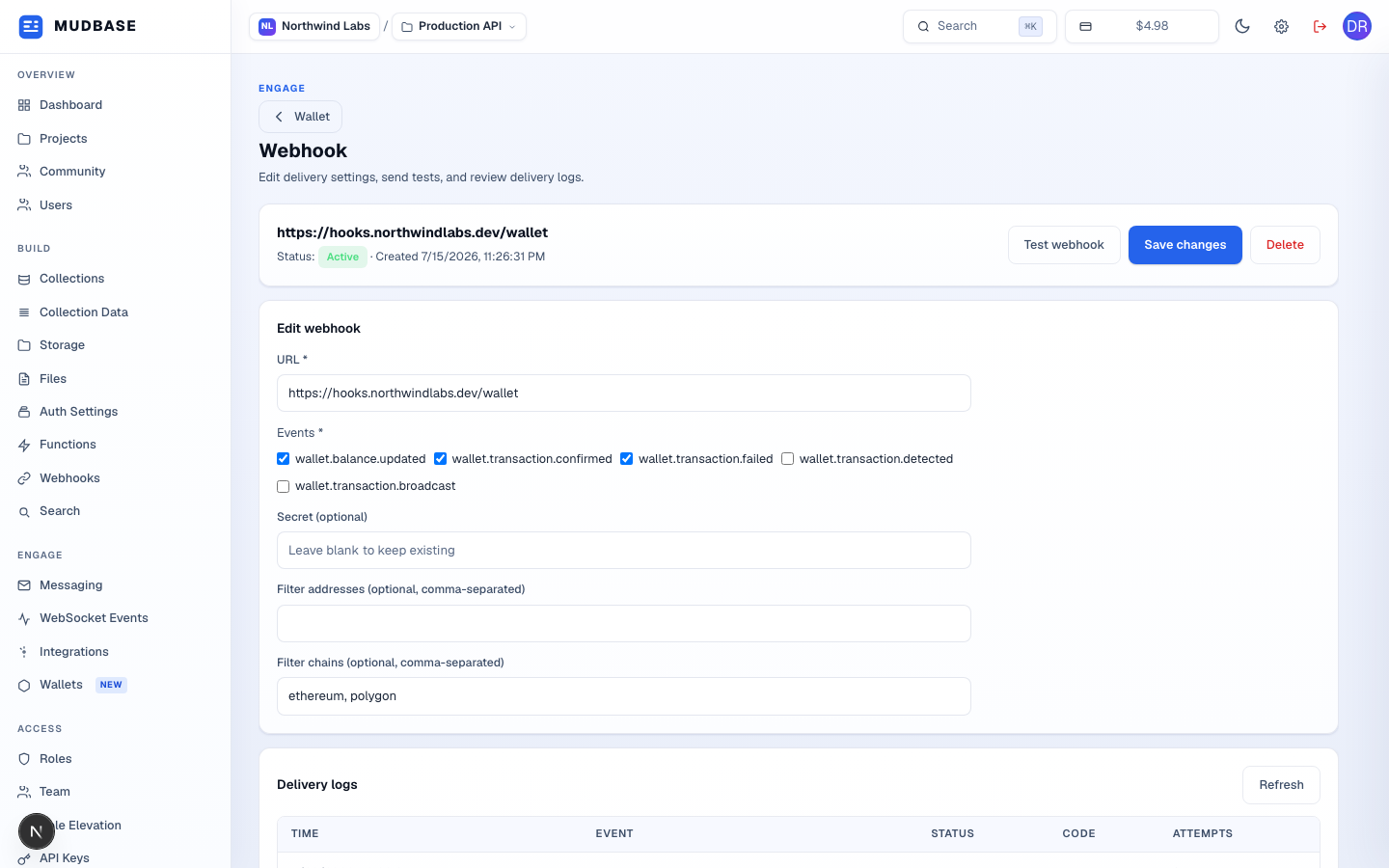
- Returns to the Wallets page.
- The webhook's URL, an Active/Inactive badge, and when it was created.
- Opens a dialog to send one test payload for an event you pick, HMAC-signed with a secret you type in: a live delivery attempt to this webhook's real URL, not a dry run.
- Persists every field in the Edit webhook form below via one PATCH request.
- Opens a confirmation dialog, then permanently removes this webhook.
- URL and at least one event are required. The five possible events are
wallet.balance.updated,wallet.transaction.confirmed,wallet.transaction.failed,wallet.transaction.detected, andwallet.transaction.broadcast. Secret is optional and write-only; leave it blank to keep the existing one. Filter addresses/chains are optional, comma-separated allowlists; leaving both empty delivers every matching event project-wide.
Delivery logs
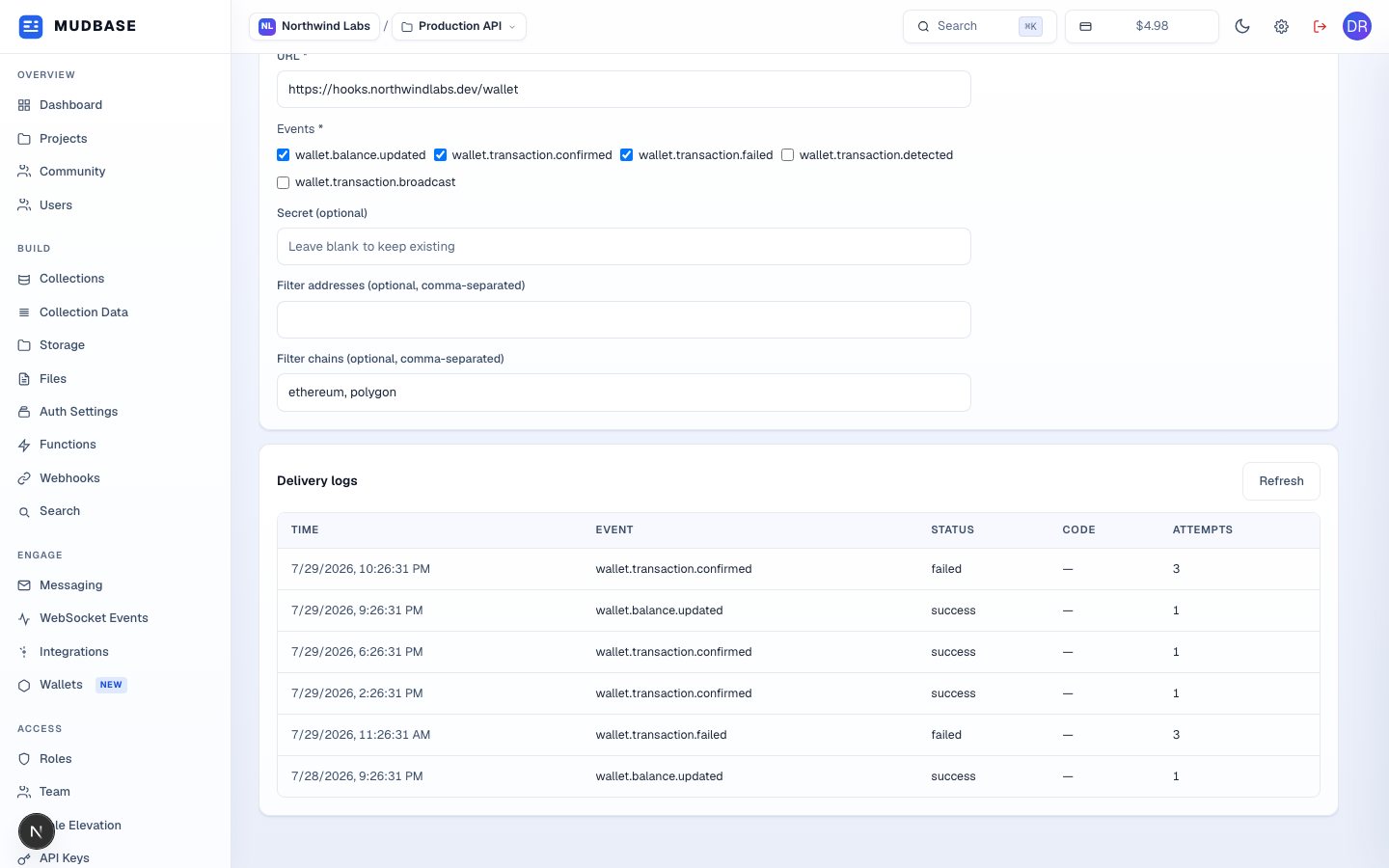
- Up to the last 50 delivery attempts for this webhook, newest first: timestamp, event, delivery status (
success/failed/retrying/delivering), an HTTP status code, and the attempt count out of a 3-attempt maximum before Mudbase stops retrying. Click Refresh to pull the latest log without leaving the page.
Warning
The Code column reads a dash for every row in this build (a real field-name mismatch, not a seeding gap). The delivery log record (
WebhookLog) stores the response status under response.status, but the console's expected shape for this table is a top-level statusCode field, which the API never populates. Status, Event, and Attempts all read correctly from the same records.